Pre-activate a NexaEsim Benin eSIM tailored for digital nomads, business travelers, and students. Get instant provisioning, remote top-ups, downloadable invoices, and stay online for work, meetings, or study abroad in 2026.
Quick Answer
Pre-activate a NexaEsim Benin eSIM before your trip to ensure instant connectivity upon arrival, bypassing airport queues and local registration. Whether you're a digital nomad, business traveler, or student, NexaEsim provides tailored plans, remote top-ups, and downloadable invoices for expense reporting, allowing you to stay online for work, meetings, or study from the moment you land.
NexaEsim offers a seamless way to stay connected in Benin, providing instant provisioning and remote management of your mobile data. This guide covers specific advice for digital nomads, business travelers, and students, ensuring you choose the right plan and set up your device for optimal performance.
Why Choose NexaEsim for Your Benin Trip?
NexaEsim is designed to reduce arrival friction and keep you connected efficiently. Key benefits for all travelers include:
- Pre-activation & Instant Provisioning: Buy and activate your eSIM online before departure, skipping airport queues and local SIM card registration.
- Remote Top-ups & Extensions: Easily manage your data plan from anywhere, topping up or extending validity as needed.
- Dual-SIM Support: Keep your primary SIM active for calls and SMS while using your NexaEsim for data, maintaining your home number.
- Device Compatibility: NexaEsim supports most modern eSIM-compatible iPhones, Samsung Galaxy, and Google Pixel devices.
Additionally, NexaEsim offers specific advantages tailored to different traveler profiles:
- For Digital Nomads: Downloadable, invoiceable receipts for client billing or expense claims, multi-device management, and fair-use hotspot options for working from cafes or coworking spaces.
- For Business Travelers: Downloadable invoices at checkout for corporate reimbursement, and plans sized for 1, 7, 15, or 30-day business trips.
- For Students Studying Abroad: Semester and multi-month plans, auto-extend options to cover term breaks, and invoiceable receipts suitable for university reimbursement.
Internet Experience in Benin
Benin offers a practical mix of internet connectivity. Expect reliable 4G in major cities, business districts, and around university campuses, suitable for video calls, email, and general browsing. Coverage can be more limited or patchy in rural and remote areas. NexaEsim partners with local networks (e.g., MTN, Moov) to provide local data without roaming charges. While 5G deployment may be limited, 4G is generally sufficient for most traveler needs. For heavy data use like cloud backups or long lecture recordings, consider using available Wi-Fi connections.
Local Network, Coverage, Weather & Visa Notes
- Coverage Expectations: Coverage is generally stronger in urban centers like Cotonou and main business/university hubs, with 4G commonly available. Performance can vary by location, building materials, and network load. 5G availability is limited and should not be relied upon.
- Weather & Seasonality: Benin experiences a wet season (roughly May–October) and a drier season (roughly November–April). Heavy rains can occasionally affect local infrastructure and connectivity, so check current forecasts before travel and plan for potential delays.
- Visa & Entry Reminder: Always verify current visa, vaccine, and entry requirements with official government, embassy, or airline sources before departure, as rules can change.
Comparison: Physical SIM at Benin Airport vs. NexaEsim Online
| Feature | Physical SIM at Benin Airport | NexaEsim Online Before Departure |
|---|---|---|
| Time to Online | Can take 10–40+ minutes (queues, paperwork, ID checks) | Instant provisioning after purchase – be online on arrival |
| Invoice for Expense Report | Often limited – may not include downloadable invoice | Downloadable invoice at checkout for corporate reimbursement |
| Device Setup | Requires physical swap and possible APN setup | Remote install via QR / SM‑DP+ – keeps primary SIM active |
| Flexibility & Top-up | Top-up requires local shops or operator apps | Top-up and extend via NexaEsim dashboard from anywhere |
| Keep Home Number Active | No – you may need to swap SIMs (unless dual-SIM) | Yes – keep home SIM active and use eSIM for data (dual-SIM) |
| Best For | Long local stays where SIM registration is needed, budget travelers comfortable with local processes | Short trips, meetings, corporate purchases, students, digital nomads, convenience, invoicing, remote management |
How to Buy Your Benin eSIM in 1 Minute
Follow these quick steps to secure your connectivity:
- Go to the NexaEsim Benin product page and choose a plan duration (e.g., 7, 15, 30 days) or a multi-month/semester validity that matches your trip or term.
- Complete checkout, ensuring the billing name is correctly set if you need an invoice for reimbursement.
- Receive instant provisioning details and QR/SM‑DP+ activation instructions by email. Install the eSIM profile on your device and pre-activate it at least 24–48 hours before departure when possible.
Benin eSIM for Digital Nomads
For digital nomads, reliable connectivity is crucial for remote work. NexaEsim provides the flexibility and features needed to stay productive while traveling in Benin.
Which NexaEsim Plan to Choose — Prescriptive Nomad Guidance
Choose your plan by trip length and daily workload. Use the table below as a guide, and consult our data calculator for precise GB needs.
| Trip Length | Workload | Recommended Plan Duration | Notes |
|---|---|---|---|
| 1–7 days | Light (email, chat, maps) | 7‑day, low‑GB tier | Minor work; use local Wi‑Fi for large uploads. |
| 7–15 days | Medium (regular video calls, VPN) | 15‑day, mid‑GB tier | Plan for VPN overhead and occasional tethering. |
| 30 days | Heavy (daily Zoom, cloud backups) | 30‑day, high‑GB or fair‑use tier | Top‑up options recommended mid‑trip. |
Nomad Data Budgeting (worked examples): Light use ~0.5–1GB/day (email & chat), medium use ~2–6GB/day (several 1:1 Zooms + VPN), heavy use 8GB+/day (group calls, backups). For a detailed calculator, see: How much data do I need for Benin trip in 3 Steps.
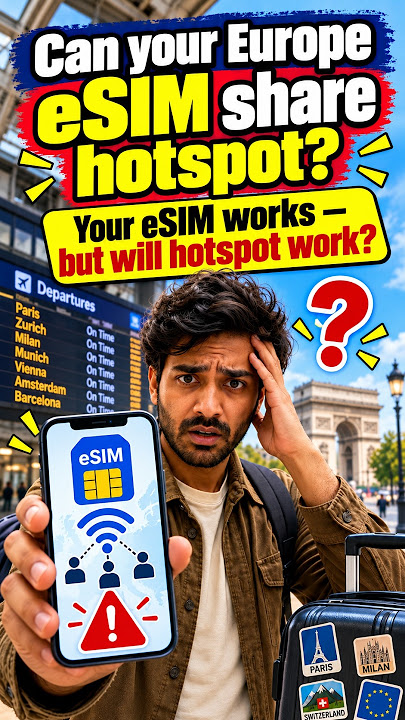
Hotspot / Tethering Guidance for Nomads: Tethering is generally permitted but subject to fair‑use policies. If you plan to host multiple participants for client demos from a phone, choose a higher‑GB plan or consider a dedicated mobile router. Monitor data during group calls and have a plan to top up mid‑trip.
Top-up, Billing & Invoiceable Receipts (Expense Workflow): Top up from your NexaEsim dashboard at any time. Downloadable invoices are available for purchases and top‑ups to support freelance or corporate expense claims. For step‑by‑step top‑up and invoice instructions, check your NexaEsim account after purchase and contact support if you need a customized corporate billing option.
Benin eSIM for Business Travelers
Business travelers require seamless, reliable connectivity and easy expense reporting. NexaEsim ensures you're online for meetings and communications from the moment you land.
Hotspot, Tethering and Fair-Use for Meetings: Hotspot/tethering is allowed subject to fair‑use limits. For meetings, prefer tethering for short 1:1 calls; for larger group video calls, use hotel or office wired connections when available. Use a VPN for corporate access and protect shared hotspots with strong passwords. Monitor data use during screen-sharing; consider a larger GB bucket if you plan frequent tethered video meetings.
Top-up, Extend & Multi-Device Setups: Top up or extend your Benin eSIM from the NexaEsim dashboard without changing the active profile. For multi-device setups, consider using a dedicated hotspot device or a higher-data plan and follow fair‑use guidance.
Benin eSIM for Students Studying Abroad
Students studying abroad need affordable, flexible data plans that allow them to stay connected with family, friends, and university resources without hassle.
Dual-SIM Management: Set Nexa eSIM for mobile data and keep your home SIM for voice/SMS if you want to retain your number. Check OS settings for preferred data and call lines so you don’t miss important university texts or calls.
Top-ups, Invoicing and Multi-Month Continuity: Top up remotely from your NexaEsim account and schedule auto‑extend where available to cover the full semester. Before purchase, set the billing name exactly as required by your university finance team to simplify reimbursements. For help with invoices and billing fields, see the billing instructions in your NexaEsim account and contact support for reissues if needed.
Practical Setup, Arrival & Mistake-Prevention Guidance
Device Compatibility & Quick Install Links
Confirm your phone supports eSIM (EID/eSIM support and OS version) before you fly. NexaEsim provides device-specific guides:
- iPhone: Follow our iPhone guide to install and test (useful for iPhone 15 Pro Max and other models).
- Samsung / Android: See our Samsung Galaxy guide (relevant for Samsung Galaxy S24 and other Android devices).
- Google Pixel: Check our Pixel install notes (for Google Pixel Travel).
Pre-Flight Checklist (Recommended 24–48 hours before)
- Buy and add the eSIM to your NexaEsim account and choose the intended plan.
- Confirm device eSIM compatibility and that you have a working Wi‑Fi or mobile connection to install the profile.
- Save any receipts or invoice options needed for work, business, or university expense claims.
60–120s Arrival Test (Compact Checklist)
Run this quick test upon landing to validate your connectivity:
- 0–30s: Enable the NexaEsim profile and mobile data; confirm network name in Settings > Mobile.
- 30–60s: Open a browser to load a simple page and check DNS; verify you have a data connection.
- 60–120s: Run a quick 1:1 video call or test your VPN to ensure stability; if issues, try toggling Airplane Mode or manual network selection.
If the test fails, follow our troubleshooting posts: No service after activation, cellular data not working, and not connecting.
Troubleshooting Quick Fixes
- No Service after activation: Run the 60–120s arrival test, toggle Airplane Mode, ensure correct eSIM profile is selected. See our fix guide.
- Cellular data not working: Verify APN settings and that mobile data is enabled. See our fix guide.
- Not connecting / registration issues: Try manual network selection, reboot your device, and consult this checklist.
- Coverage questions: Consult the coverage map article (interpret maps carefully; coverage varies by location).
Frequently Asked Questions (FAQ)
Will an eSIM work on arrival in Benin?
Yes, if your device supports eSIM and you pre-activate the NexaEsim Benin profile. Always run the 60–120s arrival test to confirm connectivity. See the arrival checklist above.
Which NexaEsim plan is best for my trip type (digital nomad, business, student)?
Choose by trip length and workload (light/medium/heavy) or semester duration. Refer to the specific guidance for digital nomads, business travelers, or students in the sections above, and use our data planner for detailed needs.
How do I install a Benin eSIM on iPhone / Pixel / Samsung?
Follow the device-specific guides linked in the 'Device Compatibility' section above for step-by-step install and activation instructions.
Can I tether/hotspot with a Benin eSIM and are there fair-use limits?
Yes, tethering is typically allowed subject to fair-use policies. For frequent multi-user demos or heavy tethering, pick a higher GB tier or consider a dedicated mobile router. Monitor data usage.
How do I top up or extend my Benin eSIM while traveling?
Top up from your NexaEsim account or app. Invoices are downloadable for expense claims. Contact support for business or bulk billing needs.
What do I do if my Benin eSIM shows 'No Service' or doesn't connect?
Run the arrival checklist, try Airplane Mode toggle, manual network selection, and check APN settings. If still stuck, follow our troubleshooting guides or contact NexaEsim support with your order ID and device details.
Will my company or university reimburse this purchase? Can I download an invoice?
Yes, NexaEsim provides downloadable invoices during checkout and from your order confirmation email, suitable for corporate or university expense reporting. Ensure the billing name is set correctly at purchase.
Does my phone support a Benin eSIM?
Most modern iPhones and recent Android phones (including Pixel and Samsung models) support eSIM. Check your device settings for EID/eSIM support and OS version, and consult our device-specific guides for details.
Ready to Stay Connected in Benin?
Pre-activate your NexaEsim Benin plan now to skip airport queues, get instant provisioning, and ensure you're online for work, meetings, or study from the moment you land. Choose the plan that best fits your traveler profile and follow our arrival checklist for a smooth start to your trip.
For device help and advanced troubleshooting, see our device guides and support articles linked throughout this page.