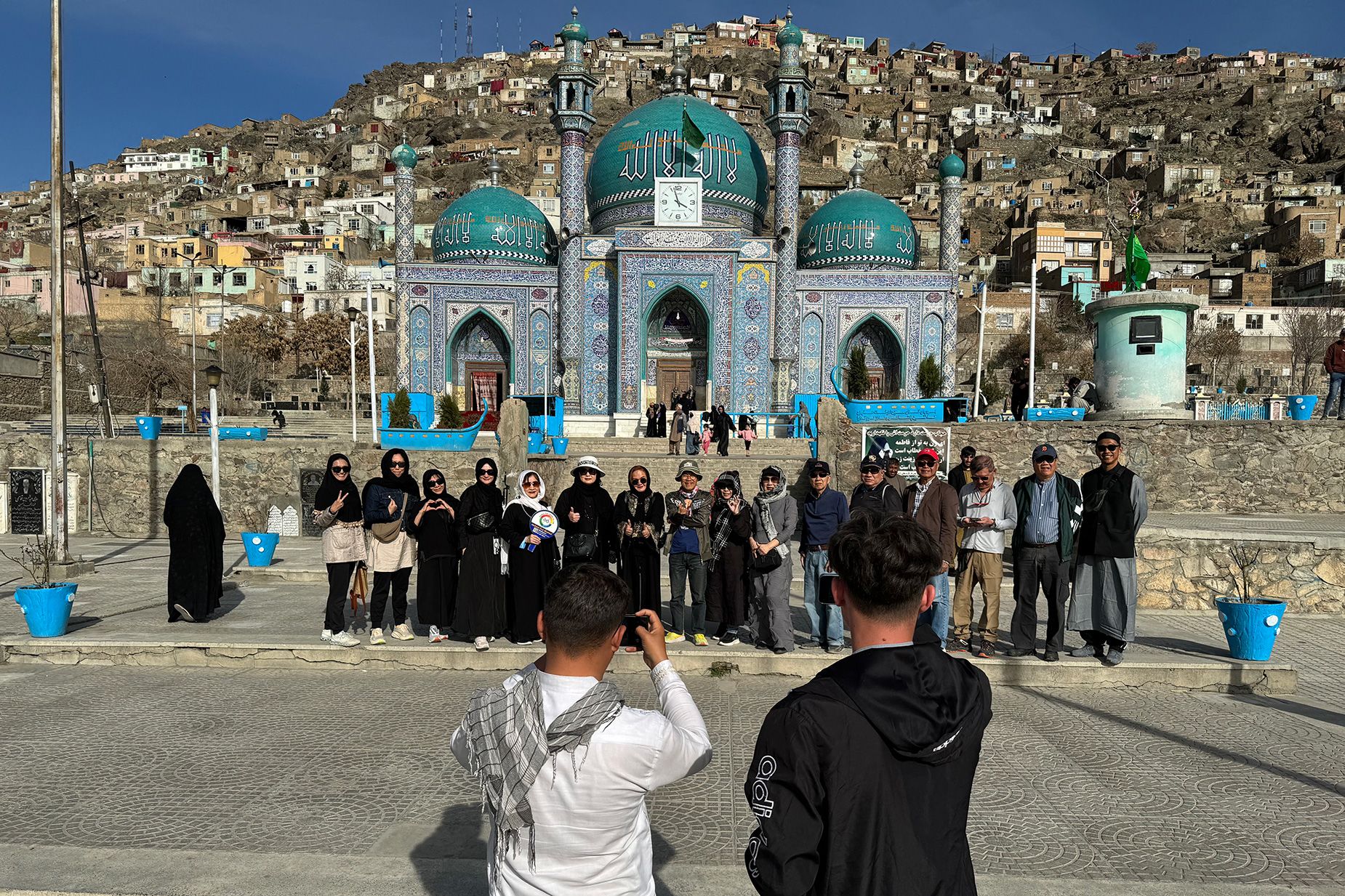
Planning a trip to Afghanistan in 2026? Discover the best eSIM options from NexaEsim to stay connected. Compare plans, check device compatibility, get step-by-step activation guides for iPhone, Android, Pixel, and Samsung, and learn how to avoid airport queues and roaming fees. This comprehensive guide covers data planning for tourists, business travelers, digital nomads, students, and families, along with troubleshooting tips and FAQs.
Quick Answer
The best eSIM for Afghanistan travel in 2026 is one you buy and activate before you fly, ensuring your phone is online immediately upon arrival. NexaEsim offers a range of Afghanistan eSIM plans (1GB, 7, 10, 15, 30-day, and unlimited options) with instant provisioning, allowing you to skip airport queues and avoid roaming surprises. Pre-activation is recommended for most travelers, including tourists, business travelers, digital nomads, students, and families, provided your device is eSIM-compatible and unlocked.
Why Choose NexaEsim for Your Afghanistan Trip?
NexaEsim focuses on providing fast, predictable, and hassle-free connectivity for travelers to Afghanistan. By choosing NexaEsim, you benefit from:
- Instant Provisioning: Receive your eSIM QR code or activation link via email immediately after purchase, allowing for quick setup.
- Skip Airport Queues: Buy and install your eSIM before departure, avoiding long lines and local ID registration at airport kiosks.
- Flexible Plan Durations: Choose from various plans (1GB, 7-day, 10GB, 15-day, 30-day, and unlimited options) to match your trip length and data needs, whether for a short vacation, business trip, or extended stay.
- Pre-activate or Start-on-Arrival: Decide whether to activate your eSIM before you fly for immediate connectivity on landing, or schedule activation for your arrival to maximize validity.
- Keep Your Home SIM Active: On dual-SIM compatible devices, use your NexaEsim for data while keeping your primary SIM active for calls and SMS from home.
- Easy Top-ups & Management: Conveniently add more data or extend your plan mid-trip via your NexaEsim account dashboard.
- Dedicated Support: Access step-by-step activation guides, troubleshooting resources, and responsive customer support via live chat and help center.
- Invoiceable Purchases: Business travelers and students can request company or university invoices for easy expense reporting.
Internet Experience in Afghanistan: What to Expect
Connectivity in Afghanistan varies significantly by location. Here's what travelers can generally expect:
- Urban Centers: Major cities like Kabul, Herat, Kandahar, and Mazar-i-Sharif typically offer the strongest and most reliable 4G/LTE coverage. You can expect stable data for navigation, messaging, social media, and light streaming.
- Airports & Highways: Coverage can vary at specific airports and along major transport corridors. Pre-activating your eSIM is advisable to ensure immediate connectivity upon landing.
- Rural & Remote Areas: Expect patchy or limited service in many rural, mountainous, and remote regions. Power outages and local infrastructure challenges can affect reliability. For these areas, plan for offline maps and consider local physical SIMs or satellite services as fallbacks if mission-critical connectivity is needed.
- Local Partner Networks: NexaEsim provisions service through local partner networks, which may include major operators such as Roshan and Afghan Wireless Communications Company (AWCC), depending on the specific plan and availability. Speeds and indoor coverage are not guaranteed and depend on local network conditions and device compatibility.
Local Network, Coverage, Weather, and Visa Notes
- Coverage Caveats: While 4G is common in population centers, 5G availability is limited and should not be relied upon. Always verify coverage for your specific destinations using official carrier coverage maps and NexaEsim's coverage notes before travel.
- Weather & Seasonality: Afghanistan experiences diverse climates, from hot summers in lowlands to cold winters in higher elevations. Seasonal conditions (e.g., heavy rain, winter snow) can affect travel plans, road access, and outdoor connectivity. Check official weather services for your travel dates and build buffer time into transfers or remote activities.
- Visa & Entry: Visa and entry rules change frequently. Always verify current requirements with official government, embassy, airline, or IATA/Timatic sources before departure. This guide provides connectivity guidance only, not legal or visa advice.
eSIM vs. Physical SIM in Afghanistan: A Comparison for Travelers
Deciding between an eSIM and a traditional physical SIM is a key choice for international travelers. Here's a side-by-side comparison to help you choose the best option for your trip to Afghanistan:
| Feature | NexaEsim (Online Purchase) | Physical SIM (Airport/Local Shop) |
|---|---|---|
| Convenience | Buy online, pre-activate, no physical card swap. | Buy on arrival or at local shop; requires physical swap. |
| Time to Get Online | Usually instant if pre-activated; online on arrival. | Depends on kiosk queues, opening hours, and setup time. |
| Activation Process | Scan QR code or use activation link; guided in-app/email steps. | Requires local purchase, often in-person ID/registration. |
| Device Compatibility | Requires eSIM-capable, unlocked phone. | Works with virtually any unlocked phone (nano-SIM). |
| Plan Choice | Multiple durations & data tiers available online before travel. | Limited to stock at kiosk; variable vendor prices. |
| Dual-SIM Use | Keep primary SIM active for calls/SMS; use eSIM for data. | Requires physical SIM swap; may need to store old SIM. |
| Top-up & Management | Easy online top-ups via NexaEsim dashboard/app. | Top up in shops or via local apps; may require cash/local methods. |
| Support | Remote support (live chat, email, help center). | Local store help only; language barrier possible. |
| Receipts/Invoicing | Digital receipts, invoiceable purchases for business/students. | Receipts vary; corporate invoice difficult to obtain. |
| Arrival Friction | Minimal; pre-activate and skip queues. | High; involves queues, paperwork, and setup at airport. |
Recommendation: For most travelers with an eSIM-compatible phone, buying a NexaEsim online before departure offers superior convenience, faster activation, and reduced arrival stress. A physical SIM may be preferable for older phones, those needing extensive in-person support, or very long stays in extremely remote areas.
How to Buy Your Afghanistan eSIM in 1 Minute
Purchasing and setting up your NexaEsim Afghanistan plan is designed to be quick and straightforward:
- Choose Your Plan: Visit the NexaEsim Afghanistan product page. Select the plan duration (e.g., 1GB, 7-day, 10GB, 15-day, 30-day, or unlimited) and data tier that best fits your trip.
- Check Device Compatibility: Before completing your purchase, confirm your device supports eSIM. Use the NexaEsim device compatibility list or check your phone's settings.
- Complete Secure Payment: Proceed to checkout. NexaEsim accepts major international payment methods.
- Receive Activation Details: Immediately after purchase, you'll receive a confirmation email containing your eSIM QR code and step-by-step activation instructions. This information is also available in your NexaEsim account dashboard.
- Pre-activate or Start-on-Arrival: Decide whether to install and activate the eSIM before you fly (recommended for immediate connectivity) or wait until you land to start the validity period.
Practical Setup, Arrival, and Mistake-Prevention Guidance
Pre-Purchase & Pre-Flight Checklist
- Confirm Device Compatibility: Ensure your phone supports eSIM and is carrier-unlocked. Check the NexaEsim device compatibility list.
- Update OS: Ensure your device's operating system (iOS or Android) is updated to the latest stable version for optimal eSIM support.
- Backup & Notes: Back up any critical data or contacts. If using a dual-SIM phone, note your primary SIM settings.
- Wi-Fi for Activation: Have a stable Wi-Fi connection available for downloading the eSIM profile, especially if activating before departure.
- Save QR/Code: Take a screenshot or save the QR code/manual activation code from your confirmation email as a backup.
eSIM Activation Steps (High-Level)
While specific steps vary slightly by device, the general process is as follows:
- iPhone (iOS): Go to Settings > Cellular (or Mobile Data) > Add eSIM. Scan the QR code from your NexaEsim email or choose 'Enter Details Manually' and paste the activation code. Label your new eSIM profile (e.g., 'Afghanistan eSIM') and set it as your default line for mobile data.
- Android (General): Go to Settings > Network & Internet > Mobile network > Add carrier (menu labels may vary by OEM like Samsung or Pixel). Scan the QR code or enter the activation code manually. Name the profile and set it as your preferred SIM for mobile data.
- Samsung Galaxy S24: Settings > Connections > SIM card manager > Add mobile plan. Scan the QR or paste the activation link. Set defaults for mobile data, voice, and SMS in SIM card manager.
- Google Pixel: Settings > Network & internet > Mobile network > Add carrier. Scan the QR code or paste the activation link. Name the eSIM profile and set it as your mobile data source.
Important: After installation, restart your device and test connectivity by loading a simple webpage. If you have a dual-SIM phone, ensure the NexaEsim profile is selected for mobile data to avoid routing issues or unexpected roaming charges on your home SIM.
Pre-activate vs. Start-on-Arrival: Decision Points
- Pre-activate (Recommended): Install and activate your eSIM before you fly. This ensures you're online immediately after landing, avoiding any setup stress or reliance on airport Wi-Fi. Ideal for tight schedules or immediate navigation needs.
- Start-on-Arrival: Install the eSIM profile, but choose to activate its validity period only when you land in Afghanistan. This is useful if your flight schedule is uncertain or you want to maximize the plan's duration from your actual arrival time.
Arrival Checklist (First 10 Minutes)
- Disable airplane mode.
- Confirm the NexaEsim profile is active and selected for mobile data in your phone's settings.
- Run a quick connectivity test (e.g., open a non-cached webpage, send a message).
- If no service, try toggling the eSIM profile off/on, restarting your device, or attempting manual network selection.
Data Planning & Usage Examples for Afghanistan
Choosing the right data plan depends on your travel style and usage habits. Here are some estimates:
| Traveler Type | Typical Activities | Suggested GB Range (per day) | Recommended NexaEsim Plan |
|---|---|---|---|
| Light User / Budget Tourist | Maps, messaging, email, light web browsing. | 0.5 - 1 GB/day | 1GB (5-day), 3-5GB (7-day) |
| Moderate User / Tourist | Maps, social media, photo uploads, occasional streaming. | 1 - 3 GB/day | 7-10GB (7-day), 10-15GB (15-day) |
| Business Traveler / Hybrid | Email, VPN, regular video calls, cloud sync. | 3 - 5 GB/day | 15-30GB (15-day), 30GB+ (30-day) |
| Digital Nomad / Heavy User | Frequent video calls, large file uploads, streaming, hotspot. | 6+ GB/day | 30-day Unlimited (subject to fair-use) |
| Student Studying Abroad | Messaging, research, occasional video calls, social. | 2 - 4 GB/day | 15-30GB (15/30-day), multi-month options |
| Family Vacation (per device) | Adults: maps, messaging. Teens: social, short videos. Kids: offline apps, supervised streaming. | 0.3 - 1.2 GB/day | Multiple 7/15/30-day plans, or a shared hotspot (check plan terms) |
Tip: Always add a 20% buffer to your estimate for unexpected usage. For heavy video use or remote work, consider larger plans or multiple top-ups. Enable Wi-Fi for large uploads when available and use a VPN for public networks.
Top-up, Mid-Trip Extensions, and Account Management
NexaEsim makes it easy to manage your data while abroad:
- Self-Serve Top-ups: If you're running low on data, you can easily purchase add-ons or extend your plan directly from your NexaEsim account dashboard or app.
- Instant Provisioning: Top-ups are typically processed quickly, often near-instantly, but allow a small buffer for provisioning delays, especially across time zones.
- Account Access: Keep your NexaEsim login details handy. Your dashboard provides updated balances, plan details, and options for extensions.
- Invoices & Receipts: For business travelers or students, you can download receipts and request company/university invoices directly from your account dashboard for reimbursement purposes.
Troubleshooting & Support: Quick Fixes for Common Issues
Most eSIM issues can be resolved with a few simple steps. If you encounter problems, try this checklist before contacting support:
- No Service After Activation:
- Toggle airplane mode on/off and wait 30 seconds.
- Restart your device.
- Go to Settings > Cellular (or Mobile Data) and confirm the NexaEsim profile is enabled and set as the default data line.
- Ensure data roaming is enabled for the eSIM profile if required by your plan.
- Try manual network selection: Settings > Network operators > Search and select an available network.
- Cellular Data Not Working:
- Confirm mobile data is toggled 'On' for the eSIM profile.
- Check APN settings: Some devices may require manual APN input. Consult NexaEsim support documentation or contact the help center for the correct APN.
- If using dual-SIM, ensure the eSIM profile is explicitly selected for mobile data.
- QR Code Won't Scan / Activation Error:
- Ensure you have a stable Wi-Fi connection.
- Try using the manual activation code provided in your order email instead of scanning the QR.
- Open the activation link directly from the email on your device.
- If problems persist, reinstall the profile from the email link and restart your device.
- Dual-SIM Routing Issues: Ensure you've correctly configured which SIM (physical or eSIM) is used for mobile data, voice, and SMS in your device's SIM manager settings.
When to Contact NexaEsim Support: If the above steps don't resolve your issue, gather screenshots of your eSIM profile settings, signal status, and any error messages. Then, contact NexaEsim support via live chat or the Help Center with your order ID, device model, and OS version for expedited assistance.
FAQ: Your Questions About Afghanistan eSIMs Answered
Can I use an eSIM in Afghanistan in 2026?
Yes, many travelers successfully use eSIMs in Afghanistan. Ensure your device is eSIM-compatible and unlocked, and check your specific plan details for coverage, which may vary by location.
Which eSIM plan is best for a 7-day trip to Afghanistan?
For most tourists on a 7-day trip, a plan with 3-10 GB total is a common starting point, depending on your daily usage (maps, messaging, social media, light streaming). Refer to the data planning table above to estimate your needs.
How do I activate NexaEsim eSIM on my iPhone/Android for Afghanistan?
After purchase, you'll receive an email with a QR code and step-by-step activation instructions. On iPhone, go to Settings > Cellular > Add eSIM. On Android, navigate to Settings > Network & Internet > Mobile network > Add operator (steps vary by OS/OEM). Follow the email guide and the device compatibility page if unsure.
Will my phone work with an Afghanistan eSIM? How do I check?
Most recent iPhone, Samsung, and Google Pixel models support eSIM. Confirm eSIM support and any carrier-lock restrictions on the NexaEsim device compatibility list. If your phone is carrier-locked, contact your home carrier before travel.
Should I buy an eSIM before I travel or after I arrive?
Buying and pre-activating your eSIM before departure is highly recommended. It avoids arrival waits, ensures immediate connectivity, and reduces stress. Buying on arrival is an option if you need local-only physical SIMs or prefer in-person assistance, but it may involve queues and variable availability.
What happens if I have no signal in remote areas of Afghanistan?
Coverage varies significantly. In remote areas, plan for offline maps, keep your primary SIM active for emergency calls (where available), and arrange fallback options like Wi-Fi or a local physical SIM if you expect extended time off-grid.
Can I get a refund or support if the eSIM doesn't activate?
Refer to NexaEsim's refund policy and contact support via live chat or the help center. Provide your order ID, device model, and screenshots to expedite assistance.
Is voice/SMS supported, or are these data-only plans?
Many travel eSIMs are data-first. Check the product details for each specific Afghanistan plan to confirm voice/SMS support before purchase. You can typically use VoIP apps for calls and messaging.
How much data do I need for navigation, calls, and streaming?
Navigation and messaging are light data users. Video calls and streaming consume significantly more. Use the daily examples in the data planning table above to estimate total GB for your trip length, adding a buffer for unexpected use.
Are there any privacy or security precautions I should take when using eSIM abroad?
Yes. Use a VPN for sensitive traffic, avoid untrusted public Wi-Fi for banking, keep your device OS updated, and enable all device security features. Only scan QR codes from your official NexaEsim account or confirmation email.
Is a 10GB eSIM enough for a 7-10 day vacation in Afghanistan?
Often yes, for moderate users focusing on navigation, messaging, and photo sharing. If you plan heavy streaming, frequent video calls, or prolonged remote work, consider a larger plan (15GB, 30GB, or unlimited) or be prepared to top up.
Does the 10GB plan support tethering/hotspot?
Tethering may be supported but is subject to specific plan terms and fair-use policies. Check the product terms on the purchase page for details.
Is 1 GB enough for a 5-day trip to Afghanistan?
Yes, for light users who primarily need messaging, navigation with cached maps, and brief web checks. If you plan to stream, upload many photos, or use maps heavily, 1GB will be consumed quickly; choose a larger plan or be prepared to top up.
Can I buy a 15-day plan mid-trip and start it immediately?
Yes, mid-trip purchases are supported. You can usually start the plan immediately or schedule a start time; provisioning is typically instant but may vary.
Can I install the Afghanistan eSIM on multiple phones for my kids?
Yes, NexaEsim supports adding eSIM profiles to multiple devices where device support and plan rules allow. Follow the multi-device install flows in the device guides linked above.
What does 'unlimited data' mean for a 30-day Afghanistan eSIM?
'Unlimited' is subject to NexaEsim's fair-use policy. Very heavy users may experience reduced speeds during peak times or after sustained high usage. Review the plan terms for full details before purchase.
Can I get a company invoice / VAT receipt for my business trip?
Yes, NexaEsim supports invoiceable purchases. Select invoice options at checkout or contact sales for bulk orders and enterprise billing instructions. For travel managers, have the traveler's full name, email, company billing name, and VAT details ready.
Can I use an Afghanistan eSIM for a full semester of study?
Yes. Choose a multi-month or semester-length plan where available, and consider setting up auto top-up to avoid interruptions. You can top up remotely via your NexaEsim dashboard.
Do I need to register my eSIM or provide ID when using a local mobile plan?
Local rules vary. NexaEsim will advise if additional steps are needed for specific plans. Always verify any registration requirements with local operators or embassy sources.
Is eSIM legal and supported in Afghanistan?
eSIM technology is widely used globally, and generally supported in Afghanistan on compatible devices. However, local regulatory and operator support can vary. Use cautious planning and verify local operator acceptance if you rely on eSIM for extended remote travel.
Ready to Get Connected?
Skip airport queues, avoid roaming surprises, and ensure you're online the moment you land in Afghanistan. Choose the NexaEsim plan that best fits your travel needs, confirm device compatibility, and pre-activate your eSIM for a smooth and connected journey.



