For the best eSIM for Albania travel in 2026, choose a NexaEsim plan and pre-activate it before you fly. This allows you to skip airport queues, ensure instant provisioning on arrival, and stay connected for navigation, communication, and remote work. NexaEsim offers flexible plans (7, 15, 30-day, and unlimited options) with easy top-ups, invoiceable receipts for business/students, and dedicated device setup guides for iPhone, Samsung, and Google Pixel.
Quick Answer
For the best eSIM for Albania travel in 2026, choose a NexaEsim plan and pre-activate it before you fly. This allows you to skip airport queues, ensure instant provisioning on arrival, and stay connected for navigation, communication, and remote work. NexaEsim offers flexible plans (7, 15, 30-day, and unlimited options) with easy top-ups, invoiceable receipts for business/students, and dedicated device setup guides for iPhone, Samsung, and Google Pixel.
Why Choose NexaEsim for Your Albania Trip?
NexaEsim is designed for all types of travelers heading to Albania, from short-term tourists to digital nomads and business professionals. Here's why it's the preferred choice:
- Skip Airport Queues: Pre-activate your eSIM from home and avoid long lines at airport SIM counters upon arrival in Tirana or other Albanian airports.
- Instant Provisioning: Your eSIM profile is typically provisioned instantly upon purchase, allowing you to be online the moment you land (device and network permitting).
- Flexible Data Plans: Choose from a range of data tiers and durations, including 1GB, 10GB, 7-day, 15-day, 30-day, and even unlimited options (subject to fair-use policy) to match your specific travel and usage needs.
- Easy Top-Ups & Extensions: Manage your data and extend your plan remotely via the NexaEsim dashboard or app, without needing to swap physical SIMs.
- Invoiceable Receipts: Business travelers and students can request expense-ready invoices at checkout or from their account dashboard for easy reimbursement.
- Multi-Device & Family Support: Easily add separate eSIM profiles for each family member or use a single plan for a portable hotspot. NexaEsim simplifies managing connectivity for multiple devices.
- Device-First Setup: Clear, device-specific activation guides for modern eSIM-capable iPhones, Samsung Galaxy, and Google Pixel phones ensure a smooth setup.
- 24/7 Support: Access dedicated online support to resolve any issues before or during your trip.
Albania eSIM Coverage & Internet Experience
Albania's mobile network infrastructure provides generally reliable connectivity, especially in urban centers and popular tourist destinations. However, coverage can vary significantly depending on your location.
Local Network Partners & Speed Expectations
NexaEsim partners with major local mobile network operators (MNOs) and mobile virtual network operators (MVNOs) in Albania. These may include prominent carriers such as Vodafone Albania, One Albania (formerly Telekom Albania), and Albtelecom, depending on your specific plan and current network availability. While 4G/LTE coverage is widespread in cities, 5G availability is expanding but remains concentrated in major urban areas. Actual speeds can vary based on location, network load, device capabilities, and environmental factors.
Coverage by Region: Cities, Coasts, and Mountains
- Cities (e.g., Tirana, Durrës): Expect strong 4G/LTE coverage and reliable mobile data for navigation, messaging, and streaming. Some urban centers also offer expanding 5G service.
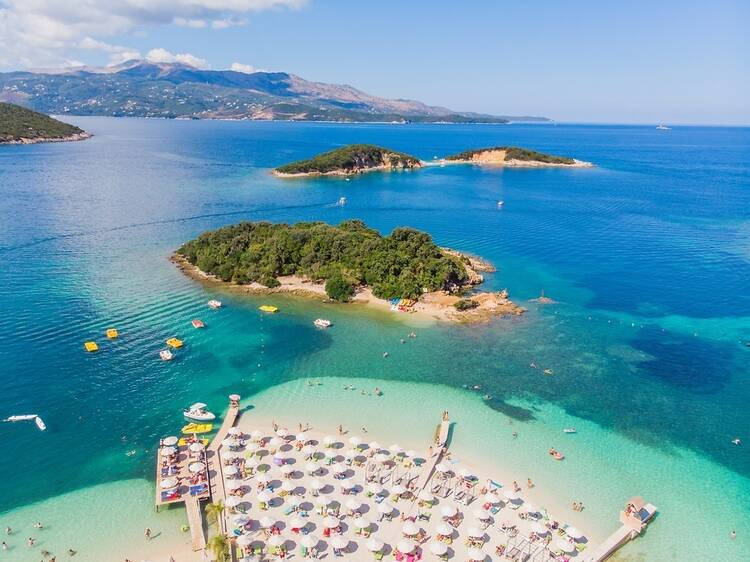
- Coastal Tourist Towns (e.g., Sarandë, Vlorë): Generally good coverage along main routes and popular beaches. However, some remote coves or islands might have patchier signals.
- Mountain Passes & Remote Rural Areas: Connectivity can be limited or intermittent. It's highly recommended to download offline maps and essential information before venturing into these regions.
- Transport Corridors & Airports: Major highways and airports typically have reliable coverage, ensuring you can connect soon after landing.
For the most up-to-date and precise coverage information, always consult official operator coverage maps (e.g., Vodafone Albania, One Albania) and cross-reference with recent user reports if available. NexaEsim routes traffic via local partners but cannot guarantee a specific carrier on every activation.
Seasonal Travel & Weather Considerations
Albania experiences hot, dry summers (peak tourist season) and cooler, wetter winters. During peak summer months, network load in popular coastal resorts and cities can increase, potentially affecting perceived speeds. If traveling in high season, consider a plan with more data headroom or pre-download content. Bad weather can occasionally impact local infrastructure, so carrying offline maps for remote excursions is a wise precaution.
Visa & Entry Reminder
Visa and entry requirements for Albania can change based on your nationality and current regulations. Always verify the latest requirements with official government, embassy, or airline sources before your travel dates. This guide provides general travel advice and should not be relied upon for visa or legal decisions.
eSIM vs. Physical SIM for Albania Travel: A Comparison
Deciding between an eSIM and a physical SIM card is a key choice for travelers. Here's a comparison to help you make an informed decision for your Albania trip:
| Feature | Physical SIM at Albania Airport | NexaEsim (Buy Online Before Departure) |
|---|---|---|
| Time to Get Connected | Queue at arrival, shop hours dependent; often 10–30+ minutes (ID check, setup). | Pre-activate from home – instant provisioning on purchase; online in 5–15 minutes on arrival. |
| Convenience | Requires physical swap; risk if phone locked or no tray; possible language barrier. | No physical swap; install via QR or app; manage remotely; keep home SIM active. |
| Local Phone Number | Usually included; may require ID registration. | Typically data-only (local number varies by plan); check plan details. |
| Price & Payment | May be cash or card; potential local bargains but variable; possible airport markup. | Transparent checkout; pay by card or digital methods; avoids airport premiums. |
| Coverage & Operator Choice | Choose on-site carrier (subject to local stock and staff advice). | Connects via local partners; specific live network may vary by region; check coverage maps. |
| Top-Ups & Extensions | Visit local store or vendor; variable hours; may require local payment methods. | Top up online in the NexaEsim account from anywhere; usually instant. |
| Expense Receipts | Sometimes available; may require in-person paperwork. | Invoiceable receipt option at checkout – downloadable for expense reports. |
| Tethering & VPN | Depends on carrier policy; check at purchase. | Clear tethering notes and VPN guidance; top-up without SIM swaps. |
| Bulk Purchases | Logistically harder for teams; requires multiple in-person buys. | Centralized billing and company account options (procurement workflow). |
| Best For | Travellers needing a local phone number immediately, or if device lacks eSIM support. | Travellers who want to skip queues, be online on arrival, and manage remotely. |
Choosing Your Albania eSIM Plan: Data & Duration Guide
NexaEsim offers a range of plans to suit different travel styles and data needs. Use this guide to determine the best fit for your trip:
Plan Durations & Recommended Users
| Duration | Recommended For | Typical Use Case |
|---|---|---|
| 1-5 Days (e.g., 1GB) | Light users, quick city breaks, budget tourists. | Maps, messaging (WhatsApp), email, light browsing (minimal media). |
| 7 Days (e.g., 1GB-10GB) | Short tourist trips, city breaks, average travelers. | Navigation, social media, some video/streaming, daily maps. |
| 15 Days (e.g., 10GB+) | Longer vacations, couples & families, mid-length stays, remote workers. | Navigation, social, moderate video streaming, regular calls, moderate uploads. |
| 30 Days / Unlimited* | Digital nomads, business travelers, heavy streamers, students studying abroad, long-term stays. | Frequent video calls, tethering, continuous remote work, large uploads, hotspot use. |
*Unlimited plans are subject to a fair-use policy or network management. See NexaEsim terms for details.
Data Usage Planner: How Much Data Do You Need?
Estimating your data needs helps you choose the right plan. Here are some common use cases and data estimates:
- Light User (Maps, Messaging, Email): ~50–150 MB/day (0.5–1 GB/week). A 1GB plan for 5-7 days is often sufficient.
- Average User (Maps, Social, Light Streaming): ~500–1,500 MB/day (3.5–10 GB/week). A 10GB plan for 7-15 days fits moderate use.
- Heavy User (HD Video, Hotspot, Video Calls): ~2–5 GB/day (14–35 GB/week). Consider 15GB, 30-day, or unlimited plans.
Sample Use Cases:
- Maps/Navigation: Low to moderate data use (offline maps reduce data).
- Social & Photos: Moderate (5–10 photos/day uses little; uploading videos uses more).
- Music Streaming: ~low per hour; Video streaming (SD/HD) is the largest data consumer.
- City Break (3–4 days): maps, email, social photos — 3–6GB.
- 7‑day Coastal Road Trip: navigation + photos + light streaming — 8–12GB (10GB fits moderate use).
- 10+ days with lots of streaming or multiple travelers: consider 15GB or a 30‑day plan.
For Families:
Use this quick method: choose a per-person daily profile then multiply by days.
- Light: 0.5–1 GB/day (maps, messages)
- Typical: 1–3 GB/day (maps, social, light video)
- Heavy: 3–6+ GB/day (streaming, video calls, navigation for multiple devices)
Worked Examples for Families:
- Family of 2, typical users, 7 days: 2 people × 2 GB/day × 7 days = 28 GB
- Family of 4, mixed use, 15 days: (2 adults × 3 GB + 2 kids × 1 GB) × 15 = 120 GB
- Family of 5, road trip, 30 days: (2 adults × 3 GB + 3 kids × 2 GB) × 30 = 330 GB
Map your total GB to NexaEsim plan sizes and pick the nearest plan or plan + mid-trip top-ups. When in doubt, pick the next tier up or plan to top up mid-trip.
Fair Use Policy & High-Speed Data
NexaEsim provides high-speed data access subject to its fair-use policy. Plans marketed as "unlimited" are designed for heavy data users but may experience reduced speeds after sustained heavy use above a certain threshold. Tethering (hotspot) is generally allowed, but continuous high-bandwidth usage (e.g., large cloud backups, 4K streaming across many devices) may also trigger fair-use measures. Review the specific plan terms and fair-use details on the product page before purchase.
How to Buy Your NexaEsim Albania Plan in 1 Minute
Purchasing and activating your Albania eSIM is a quick and straightforward process:
- Choose Your Plan: Visit the NexaEsim Albania product page and select the duration and data size that best fits your trip (e.g., 7-day, 15-day, 30-day, or unlimited).
- Confirm Device Compatibility: Ensure your device supports eSIM and is unlocked. You can often check this on the product page or in your phone's settings.
- Complete Secure Checkout: Enter your email, confirm your device model, and complete payment using your preferred secure method. If you need an invoice for business or student reimbursement, select the "Invoiceable receipt" option at checkout.
- Receive Activation Details: After purchase, you'll receive an order confirmation email containing provisioning instructions, typically a QR code or SM-DP+ activation details, and your order/invoice number.
- Choose Activation Timing: Select "Pre-activate" to install the eSIM profile before you fly (recommended for instant connectivity on arrival) or "Start-on-arrival" if you prefer to activate it manually after landing.
- Install the eSIM: Follow the on-screen steps in your confirmation email or the NexaEsim app to install the eSIM profile onto your device.
Practical Setup, Arrival & Troubleshooting Guide
A smooth eSIM experience starts with proper setup and knowing what to do on arrival. This comprehensive guide covers everything you need.
Device Compatibility Checklist
Before purchasing your eSIM, ensure your device meets these requirements:
- eSIM-Capable: Most recent iPhone (XS and newer), Google Pixel (3a and newer), and Samsung Galaxy (S20 and newer) models support eSIM. Check your manufacturer's specifications or your phone's settings (iOS: Settings > Cellular > Add eSIM; Android: Settings > Network > Mobile network > Add eSIM).
- Carrier-Unlocked: Your phone must be unlocked from any domestic carrier restrictions to use a foreign eSIM. If unsure, contact your home carrier.
- Updated OS: Ensure your device's operating system (iOS or Android) is updated to the latest stable version for optimal eSIM performance.
- Backup: Back up your contacts and important data. Keep your physical SIM accessible in case you need to revert.
Pre-Activation vs. Start-on-Arrival
- Pre-activate (Recommended): Purchase and install your eSIM profile a few hours or even 24-72 hours before departure. This ensures the eSIM is provisioned and ready to connect the moment you land, avoiding airport delays.
- Start-on-Arrival: If you prefer the plan countdown to begin at landing, you can choose to activate manually on arrival. However, this carries a slight risk of being offline if activation is delayed or requires Wi-Fi.
Step-by-Step eSIM Activation (iOS & Android)
NexaEsim provides clear instructions, but here's a general flow:
- Ensure Wi-Fi: Have a stable Wi-Fi connection available for the initial installation.
- Access Activation Details: Open the NexaEsim app or your order confirmation email to find the QR code or manual SM-DP+ activation details.
- Install the eSIM Profile:
For iPhone Users (e.g., iPhone 15 Pro Max)
- Go to Settings > Cellular (or Mobile Data) > Add Cellular Plan.
- Scan the QR code provided by NexaEsim or choose Enter Details Manually to input the SM-DP+ address and activation code.
- Follow the on-screen prompts to install the eSIM profile.
- Label the plan (e.g., "Albania - Nexa") and set your Cellular Data default.
- Enable Data Roaming for the eSIM profile if prompted (follow order notes).
For Samsung Galaxy Users (e.g., S24)
- Go to Settings > Connections > SIM card manager > Add mobile plan.
- Choose "Use QR code" and scan the QR from your NexaEsim email.
- Follow on-screen prompts to install the eSIM profile. If using manual SM-DP+, select manual entry and paste the provider/SM-DP+ address and activation code.
- After install, enable Data Roaming: Settings > Connections > Mobile networks > Data roaming.
- In SIM card manager, choose the eSIM profile as default for mobile data.
For Google Pixel Users
- Go to Settings > Network & internet > SIMs or Mobile network > Add > Download a SIM.
- Scan the QR code provided by NexaEsim or enter the SM-DP+ activation details manually.
- Name the eSIM profile (e.g., "Albania - Nexa") and set it as the preferred data SIM.
- In Settings > Network > Mobile network, enable Data roaming for the eSIM profile.
Dual-SIM Management & Common Configurations
Most modern eSIM-capable phones support dual SIM functionality (physical SIM + eSIM or dual eSIM). This allows you to keep your home SIM active for calls/SMS while using the NexaEsim for mobile data. Clearly label your eSIM profiles in your phone's settings to avoid confusion and accidental roaming charges on your home SIM.
Your Arrival Checklist: First Minutes in Albania
To ensure you're online quickly after landing:
- Before Landing: Ensure your eSIM is installed and provisioning status shows active in your phone's settings (if pre-activated).
- After Immigration/Baggage: Turn off airplane mode. Enable Data Roaming (if required by your device UI) and select the Nexa eSIM profile as your active data line.
- Quick Data Test: Perform a quick data test (open maps, send a message).
- If No Service: Try manual network selection, toggle Airplane Mode off/on, then Data Roaming. Restart your device.
Tethering & VPN for Business/Remote Work
- Tethering Policy: Tethering (hotspot) is usually allowed with NexaEsim plans, but may be subject to fair-use policies. Check the specific terms for your plan.
- VPN Usage: Most VPNs work seamlessly. For critical business meetings, use UDP-based VPNs when possible and test your corporate VPN over cellular before scheduled calls. Have hotel Wi-Fi as a backup.
Top-Ups, Extensions & Account Management
NexaEsim makes it easy to manage your plan mid-trip:
- Top-Up: Log in to your NexaEsim account or app, select your active Albania plan, and choose a top-up option. Provisioning is usually instant after payment.
- Extend: For longer stays, you can often extend your plan or purchase a new one without reinstalling the eSIM profile. Check the in-app flow to confirm if remaining balance is retained.
- Account Access: Keep your NexaEsim account login details handy for quick access to your dashboard, balance checks, and top-ups.
Invoiceable Receipts & Bulk Purchases
- Individual Invoices: Select the "Invoiceable receipt" option at checkout or request it immediately after purchase from your account dashboard. Invoices include standard fields (company name, VAT/Tax ID if provided, purchase date, amount, plan name).
- Bulk Purchases for Teams: For corporate travel or teams, NexaEsim offers centralized billing and company account options. Contact enterprise support via the bulk purchase intake form for consolidated invoices and CSV exports.
Common Mistakes to Avoid
- Waiting to Buy at the Airport: During peak season, you may face queues or sold-out options. Pre-activate to avoid this.
- Not Verifying Device eSIM Support: Older phones or carrier-locked devices can block installation. Always check compatibility first.
- Confusing Data-Only Plans: Some eSIM plans are data-only and do not include a local voice number. Check plan details at checkout.
- Activating Too Late: Allow a buffer for provisioning, especially if you need guaranteed connectivity right after landing.
- Removing Profile Before Testing: Do not remove your physical SIM or the eSIM profile until you confirm data and calls work.
Troubleshooting Your Albania eSIM: Quick Fixes & Support
If you encounter issues with your eSIM, try these quick fixes:
| Symptom | Quick Checks | Next Step / When to Contact Support |
|---|---|---|
| No Service After Activation | Toggle Airplane Mode off/on (wait 10s). Ensure eSIM profile is enabled and selected for mobile data in Settings. Restart device. | Try manual network selection (Settings > Cellular/Mobile Network > Network operators). If still no service, contact NexaEsim support with details. |
| Cellular Data Not Working | Ensure Mobile Data and Data Roaming (if required) are enabled for the eSIM line. Check APN settings (Settings > Network > Access Point Names) if provided by support. | Restart mobile data and test in a different location. If APN is required, verify settings with NexaEsim support before editing. |
| Activation/Provisioning Failed | Re-scan the QR code or re-enter manual SM-DP+ details. Restart the device. Confirm Wi-Fi connection during installation. | Contact NexaEsim support with your order number, device model, OS version, and screenshots of any error messages. |
| VPN Won't Connect Over Cellular | Confirm VPN works on Wi-Fi (isolates app vs network issue). Switch VPN protocol (e.g., from TCP to UDP) or use an alternative port. | If persistent, capture a diagnostics log and contact NexaEsim support with the log and your support ticket template. |
| Hotspot Not Sharing | Verify hotspot is allowed under mobile data settings. Ensure the eSIM profile is set for data. Check fair-use policy for tethering limits. | Contact NexaEsim support if hotspot functionality is explicitly blocked despite plan terms. |
When to Contact NexaEsim Support
If basic troubleshooting steps do not resolve your issue, contact NexaEsim support. To speed up resolution, provide the following information:
- Subject: Albania eSIM activation issue — Order #ORDERID
- Order ID:
- Device model & OS version:
- IMEI:
- EID (if available):
- Time & date of activation attempt (local time):
- Location (city / nearest landmark):
- Screenshot 1: Settings > Cellular showing eSIM profile and operator name
- Screenshot 2: About (IMEI/EID/OS)
- Error messages seen:
- Steps already tried (reboot, enable Data Roaming, reset network settings):
- Preferred contact method & timezone:
Attach screenshots and include your order ID for faster assistance.
Frequently Asked Questions (FAQ)
Which is the best eSIM to buy for a short tourist trip to Albania in 2026?
For most short trips (3-7 days), a 7-day NexaEsim plan with 1GB to 10GB of data offers the best balance of cost and convenience. Pre-activate to be online on arrival. See product options on the purchase page.
Can I pre-activate an Albania eSIM before I land? Will it work at the airport?
Yes, pre-activation is highly recommended. Provisioning typically completes before your flight lands. Test service within the first 15 minutes after landing. If provisioning requires Wi-Fi, use airport Wi-Fi for setup.
Does my iPhone / Samsung / Google Pixel support an Albania eSIM?
Most recent iPhone (XS and newer), Google Pixel (3a and newer), and Samsung Galaxy (S20 and newer) models support eSIM. Check your device's settings or manufacturer's website to confirm. Ensure your device is carrier-unlocked.
Is eSIM better than a physical SIM for Albania?
For most travelers with eSIM-capable, unlocked devices, eSIMs offer superior convenience: skip queues, pre-activate, no physical swap, and remote top-ups. Physical SIMs might be better if your phone lacks eSIM support or you need a local voice number immediately.
How much data should I buy for streaming/navigation/photos?
Estimate based on your usage: messaging & maps (1–3 GB/week), light browsing & photos (3–6 GB/week), streaming/video calls (10+ GB/week). Round up and allow headroom, especially during peak season or for remote work.
Can I top up my Albania eSIM while abroad and how?
Yes, you can easily top up data remotely using the NexaEsim dashboard or app. Log in to your account, select your active Albania plan, and follow the top-up prompts. Keep your order number and login details handy.
Do you provide invoices for business travel or refunds if I don’t use the plan?
NexaEsim supports invoiceable purchases at checkout; select the option or request from your account. Refund and invoice terms are set by the published policy – review the terms during checkout or contact support for details.
Is “unlimited” truly unlimited for this Albania eSIM?
Plans marketed as "unlimited" are subject to a fair-use policy that may reduce speeds after sustained heavy use. Review the plan terms on the product page for the full policy details.
Can I tether/hotspot with my Albania eSIM?
Yes, tethering is typically allowed, but heavy sustained hotspot use may trigger fair-use controls. For very large transfers, consider staggering uploads or using local Wi-Fi where available.
Which eSIM plan is best for a semester abroad in Albania?
Choose a multi-month/semester plan sized by weekly usage multiplied by semester length. Estimate weekly GB for video lectures, calls, and streaming, then add a buffer. Pre-activate 24-72 hours before arrival.
Can I share one eSIM across several family devices?
Most eSIMs are tied to a single device profile. For family needs, you can either add individual eSIM profiles for each device or buy one data line for a portable hotspot to share. Each approach has tradeoffs.
Will an Albania eSIM work immediately when we land?
If you pre-activate before departure, NexaEsim usually provisions instantly. On arrival, run the quick checks in the "Your Arrival Checklist" section (toggle Airplane Mode, enable Data Roaming, restart device) to ensure connectivity.
Ready to Connect? Your Next Steps
Don't let airport queues or roaming charges disrupt your Albania adventure. Choose your ideal NexaEsim plan and pre-activate now to ensure you're online the moment you land. Whether you're a tourist, business traveler, digital nomad, student, or on a family vacation, NexaEsim provides reliable, flexible, and convenient connectivity.