Pre-activate the best eSIM for Andorra travel in 2026 with NexaEsim. Compare plans (1GB, 7, 15, 30-day, unlimited), check device compatibility (iPhone, Pixel, Samsung), get setup tips, and be online on arrival. Ideal for tourists, families, business travelers, and digital nomads.
Quick Answer
For the best eSIM for Andorra travel in 2026, pre-activate a NexaEsim plan before you fly. This ensures you skip airport queues, avoid roaming surprises, and are online immediately upon arrival. NexaEsim offers flexible plans (1GB, 7, 15, 30-day, and unlimited options) tailored for tourists, families, business travelers, students, and digital nomads, with easy setup for iPhone, Samsung, and Google Pixel devices, plus remote top-ups and invoiceable receipts.
Why Choose NexaEsim for Your Andorra Trip?
NexaEsim is designed to remove common travel frictions, offering a seamless connectivity experience:
- Be Online on Arrival: Pre-activate your plan before departure so maps, rides, and messages work the moment you land, avoiding airport SIM queues and limited kiosk hours.
- Save Time & Hassle: No physical SIM swapping required. Everything is handled digitally through your phone settings, allowing you to install and manage your eSIM in minutes.
- Flexible Plans & Top-ups: Choose from various durations (1, 7, 15, 30 days) and data buckets (1GB, 10GB, unlimited options) to match your itinerary and usage. Easily top up mid-trip from your NexaEsim account without needing a store visit.
- Business & Student Friendly: Request invoiceable receipts for expense claims or university reimbursements. NexaEsim supports corporate billing options and account management.
- Device-First Support: Clear, step-by-step installation guides and compatibility checks for popular devices like iPhone, Samsung Galaxy, and Google Pixel, reducing activation risk.
Internet Experience & Local Network Coverage in Andorra
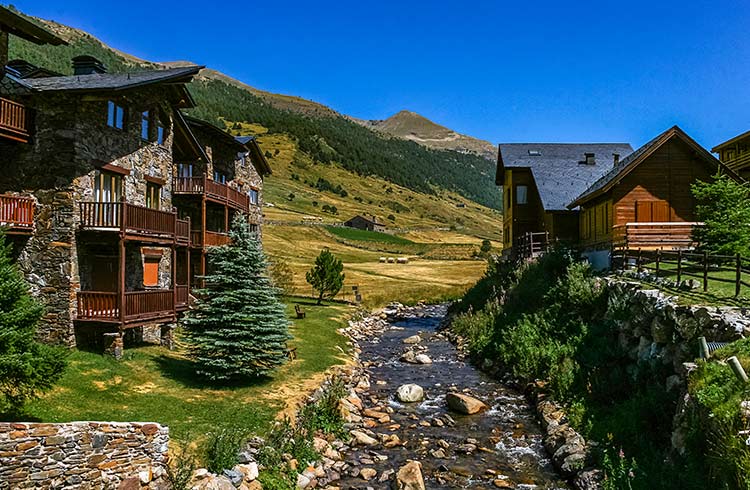
Andorra's mountainous terrain means mobile coverage varies significantly by location. Expect reliable service in towns, urban centers, and major tourist areas like ski resorts. However, signal can be weaker or intermittent in higher mountain valleys, remote hiking trails, and some border areas.
- Local Partner Networks: NexaEsim plans utilize local partner networks, which may include national Andorran operators (like Andorra Telecom) and regional carriers from neighboring Spain and France (e.g., Movistar or Orange), depending on the specific plan and availability.
- Speed Expectations: 4G/5G availability and speeds vary by area, device, and network congestion. While modern services are present in urban centers, do not assume uniform performance across the entire country. Speeds are not guaranteed, especially in remote or high-demand areas.
- Seasonal & Terrain Caveats: Winter ski season and summer hiking periods can increase local network load in resort towns. Plan for higher data needs when uploading photos or using maps in busy seasons. Mountain weather and elevation can also affect transport and occasionally mobile reception. Always download offline maps and emergency contacts before venturing into remote zones.
- Visa & Entry Reminder: Verify current visa and entry requirements with official government, embassy, or airline sources before travel. This page does not provide legal travel advice.
eSIM vs. Physical SIM: A Comparison for Andorra Travel
Deciding between an eSIM and a physical SIM depends on your priorities. For most travelers, an eSIM offers superior convenience and speed.
Quick Verdict by Traveller Profile
- Short-stay / City-break Tourists: eSIM (pre-activate) — Pick a 7-day or small-GB NexaEsim plan for instant arrival connectivity and minimal fuss.
- Families: eSIM or Mix — Pre-activate one eSIM per smartphone and consider a shared mobile hotspot for other devices.
- Business Travelers: eSIM (pre-activate) — Fast setup, invoiceable receipts, and easy top-ups for expense claims.
- Digital Nomads / Long Stays: eSIM (30-day / unlimited options) — Easier top-ups and no physical SIM swaps; consider plan length and fair-use terms.
- Budget Travellers / Students: eSIM (low-GB plans) — NexaEsim offers competitive small data plans for convenience, often outweighing the hassle of a physical SIM.
| Feature | Buying a Physical SIM at Andorra Airport (or locally) | Buying NexaEsim Online Before Departure (eSIM) |
|---|---|---|
| Time to Connect | Can require waiting in line, ID/registration, limited kiosk hours. May add significant travel time. | Buy in minutes from your phone/laptop. Pre-activate to be online immediately on arrival. |
| Convenience | Requires physical SIM swap, risk of losing home SIM, language/document hurdles. | No physical swap. Install via QR or SM-DP+ on your device. Keep your primary SIM active (dual-SIM). |
| Plan Choices & Flexibility | Limited vendor plans, variable pricing, top-ups may require return visits. | Full plan range (1, 7, 15, 30 days, unlimited), transparent pricing, remote top-ups via NexaEsim dashboard. |
| Business/Student Billing | May be difficult to get invoiceable receipts on the spot. | Invoiceable receipts available on request for corporate/university accounting. |
| Device Compatibility | Works with any phone that accepts a physical SIM. | Requires an eSIM-capable device (most recent iPhones, Samsung, Pixel models). |
| Support | In-person help if kiosk is staffed, but limited hours. | Centralized online support, guides, and remote troubleshooting. |
| Best For | Last-minute buyers without pre-planning, or those who prefer a physical card. | Travelers who value time, immediate online access, remote management, and multi-country travel. |
How to Buy Your NexaEsim for Andorra in 1 Minute
Purchasing and setting up your NexaEsim plan is a quick and straightforward process:
- Choose Your Plan: Visit the NexaEsim Andorra product page. Select a plan duration (1, 7, 15, or 30 days) and data allowance (e.g., 1GB, 10GB, unlimited) that best fits your trip length and expected usage.
- Complete Checkout: Enter your device details and complete the secure checkout process. During checkout, you can request an invoiceable receipt for business or university expenses if needed.
- Receive Activation Details: After purchase, you'll receive an email with provisioning instructions, including a QR code or SM-DP+ details. Screenshot the QR code and save your order ID for easy access.
- Install & Pre-activate: Follow the installation steps below to add the eSIM profile to your device. We highly recommend choosing the pre-activation option to ensure your eSIM is ready to go the moment you land.
Device Compatibility & Practical Setup Guidance
Most modern smartphones support eSIM. Confirm your device's compatibility and follow these steps for a smooth setup.
Quick Device Compatibility Checklist
- eSIM Support: Confirm your phone model supports eSIM. Most recent iPhone (XS and newer), Google Pixel (3a and newer), and Samsung Galaxy (S20 and newer) flagships are compatible.
- Unlocked Device: Ensure your device is carrier-unlocked. If your phone is locked, contact your current carrier to unlock it before travel.
- Updated OS: Make sure your operating system (iOS or Android) is up to date. Recent builds offer better eSIM management features.
- Wi-Fi Connection: Have a stable Wi-Fi connection available to download the eSIM profile during installation.
- Dual-SIM Users: If you use a physical SIM, decide whether the eSIM will be your primary data line. You can keep your home number active for calls/SMS while using the eSIM for data.
Step-by-Step eSIM Installation (QR Code Method)
The QR code method is the fastest and most common way to install your NexaEsim profile:
- Access QR Code: From your NexaEsim account or purchase confirmation email, display the QR code on a separate screen or print it.
- On iPhone (iOS):
- Open Settings > Cellular (or Mobile Data).
- Tap Add eSIM or Add Cellular Plan.
- Choose Use QR Code and scan the NexaEsim QR code.
- Follow on-screen prompts to label the eSIM profile (e.g., 'Andorra NexaEsim') and set your default line for data/calls as needed.
- Enable Data Roaming for the eSIM profile.
- On Android (Samsung Galaxy S24 / Google Pixel):
- Open Settings > Network & internet > SIMs (or Mobile network).
- Tap Add carrier or Add mobile plan.
- Choose Scan QR code and scan the NexaEsim QR code.
- Follow on-screen prompts to name the eSIM profile and set it as your mobile data SIM.
- Enable Data Roaming for the eSIM profile.
Manual SM-DP+ Entry (Fallback Method)
If you cannot scan the QR code, use the manual entry option:
- In your device's 'Add eSIM' or 'Add carrier' menu, select the option for Manual Entry or Enter Details Manually.
- Paste the SM-DP+ Address and Activation Code provided in your NexaEsim order confirmation.
- Complete the installation as prompted.
Pre-activation vs. Start-on-Arrival: Which to Pick?
- Pre-activate (Recommended): Install and activate your eSIM a few hours or days before departure. This ensures you're online immediately upon landing, which is ideal for tight schedules, early meetings, or needing maps/rides during transfers from nearby international airports (Barcelona, Toulouse).
- Start-on-Arrival: Install the profile before departure but keep it disabled. Enable the eSIM profile only when you land in Andorra. This is useful if you transit through other countries and want to avoid accidental roaming charges before reaching your destination. Note that you may be offline until activation completes.
Arrival Workflow & Fallbacks
- On Arrival: If pre-activated, simply enable the eSIM profile and select it for mobile data once cellular service is allowed (e.g., after landing). Test connectivity with maps or a quick webpage load.
- Dual-SIM Best Practice: Set the NexaEsim profile as your preferred mobile data line. To avoid unexpected roaming charges on your home SIM, consider disabling mobile data for your physical SIM while abroad, or ensure Data Roaming is only enabled for the eSIM.
- Fallbacks: If signal is poor (e.g., at high altitude), move to a lower elevation or urban center and retry. Use airport or hotel Wi-Fi briefly to complete any provisioning steps or contact support if needed.
How Much Data Do I Need? NexaEsim Plan Recommendations
Estimating your data needs helps you pick the right plan. NexaEsim offers various options to suit different traveler types and durations.
Quick Data Planner (Estimates)
Use these approximate daily buckets to estimate your total needs:
- Light User (Maps, Messaging, Light Browsing): ~0.5–1.5 GB/day
- Average Sightseer (Maps, Social Media, Photos, Some Streaming): ~2–4 GB/day
- Heavy User / Remote Worker (Video Calls, Large Uploads, Tethering): 5GB+ /day
Examples:
- Family Day Trip (2 adults + 1 child, offline maps + photos): ~2–4GB total
- 7-day Sightseeing Holiday (daily maps, social, some streaming): ~12–25GB total
- 30-day Remote Work / Nomad (video calls + tethering): 60GB+ total — consider a larger bucket or top-up plan.
Recommended NexaEsim Plans by Traveler Type
| Traveler Type | Recommended Plan Duration/Data | Why it Fits |
|---|---|---|
| Short Tourist (3–7 days) | 7-day plan (e.g., 1GB, 10GB) | Compact duration, easy pre-activation, suitable for city + short hikes. |
| Mid-Length Trip (10–15 days) | 15-day high-speed data | Longer stays where topping up mid-trip may be needed. |
| Heavy Data / Long Stay | 30-day unlimited data | Best for streaming, remote working, and families sharing data (fair-use applies). |
| Budget / Light User | 1GB / 5-day plan | Minimal use: maps, messaging, light email. Cost-effective. |
| Family Vacation | 7, 15, or 30-day plans (based on total GB estimate) | Multi-device setup, per-person data estimator, easy top-ups. |
| Business Travelers | 7, 15, or 30-day plans (with invoiceable receipts) | Instant provisioning, clear billing, tested device setup for critical meetings. |
| Digital Nomads | 15 or 30-day plans (with top-ups) | Reliable urban/coworking data, invoiceable receipts, extensions for long stays. |
| Students Studying Abroad | Semester or multi-month plans (with scheduled start date) | Online on arrival, university reimbursement, remote top-ups for long terms. |
Top-ups, Extensions & Business/Student Billing
NexaEsim provides flexible options for managing your plan and expenses:
- Mid-Trip Top-ups: If you run low on data or need to extend your stay, you can easily top up from your NexaEsim account or dashboard. Provisioning is typically near-instant, but allow a short processing window in some cases.
- Invoiceable Receipts: For business travelers or students needing university reimbursement, NexaEsim provides invoiceable receipts. Request this during checkout (by entering company details and VAT/tax ID) or contact NexaEsim support after purchase.
- Corporate & Bulk Purchases: For enterprise or bulk purchases, contact NexaEsim sales via the product page to request consolidated billing or volume options.
Tethering, Hotspot & Fair-Use Policy
Tethering (hotspot sharing) is generally supported across NexaEsim plans, allowing you to share your data with other devices like laptops or tablets. However, it's important to note:
- Fair-Use Policy: All "unlimited" and high-data plans are subject to NexaEsim's fair-use policy and network management. Heavy, sustained hotspot use (e.g., continuous multi-device nightly backups or prolonged 4K streaming) may be deprioritized during network congestion.
- Performance Expectations: For best hotspot performance, place the host device centrally, prefer 5 GHz when available, and limit simultaneous high-bandwidth activities. If you rely on hotspot for critical work meetings, consider a larger data plan or a backup portable Wi-Fi device.
- 1GB Plan Note: Sharing a 1GB plan across multiple devices will quickly exhaust data and is generally not recommended for heavy tethering.
Troubleshooting & Support Template
If you encounter any issues with your NexaEsim, try these quick fixes first. If problems persist, use the provided support template for faster assistance.
Common Quick Fixes (First 60 Seconds)
- No Service / No Data:
- Toggle the eSIM profile off/on in your device settings.
- Ensure Mobile Data and Data Roaming are enabled for the eSIM profile.
- Restart your device.
- Try manual network selection if your device supports it.
- Profile Won't Download:
- Ensure you have a stable Wi-Fi connection during installation.
- Re-scan the QR code or re-enter SM-DP+ details carefully.
- If the QR/SM-DP+ details seem expired, contact support.
- Hotspot Issues:
- Confirm tethering is enabled in your phone's settings.
- Restart both the host and connected devices.
- Check your plan terms for any specific tethering limits.
NexaEsim Support Template (Copy & Paste)
If quick fixes don't resolve the issue, copy-paste this message to NexaEsim support and attach relevant screenshots:
Subject: Andorra eSIM - Service Issue (Order #XXXXX)
Device: [Your Phone Make/Model, e.g., iPhone 15 Pro Max, Samsung Galaxy S24, Google Pixel 8]
OS & Version: [e.g., iOS 17.4, Android 14]
Issue: [Brief description: e.g., No service after activation, Cellular data not working, eSIM not connecting]
Steps Tried: [e.g., toggled profile, restarted device, checked Data Roaming, manual network selection]
Activation Time (Timezone): [Timestamp if known]
Attachments: [Attach screenshots of Cellular/SIM settings and any error messages]
Please advise next steps.
Frequently Asked Questions (FAQ)
Which eSIM is best for Andorra travel in 2026?
For most travelers, a pre-activated NexaEsim short-term plan (choose 7/15/30-day) is best. Pick the duration by trip length and match GB to your expected data usage. For heavy users, a 30-day unlimited plan is available (subject to fair-use).
Can I use an eSIM right away when I land at Andorra airport?
Yes, if you pre-activated and installed the profile before landing. If not, you can activate on arrival but may be delayed by kiosk hours or lack of immediate provisioning via airport Wi-Fi.
Will my iPhone / Samsung / Pixel work with an Andorra eSIM?
Most recent iPhone (XS and newer), Samsung Galaxy (S20 and newer), and Google Pixel (3a and newer) models support eSIM. Check the Device Compatibility page and ensure your device is unlocked and updated.
Is it better to buy before traveling or at the Andorra airport?
Pre-activating online with NexaEsim saves time, avoids queues, and gets you online on arrival. Buying locally may make sense for very long stays seeking local pricing, but requires a physical SIM swap and possible documentation/ID checks.
How much data do I need for a 7-day trip to Andorra?
For light use (maps, messaging), 3.5–7 GB is often sufficient. Average travelers (maps, social, photos) might need 10–21 GB. Heavy users (streaming, video calls) could require 35+ GB. Use offline maps and Wi-Fi to lower needs.
How do I install an eSIM for Andorra on iPhone / Android / Pixel / Samsung?
Follow the NexaEsim purchase steps to add the eSIM profile. On iPhone: Settings > Cellular > Add Cellular Plan > Scan QR. On Android/Pixel/Samsung: Settings > Network & internet > Add carrier > Scan QR. Set the new profile as your data line and test connectivity. Device-specific guides are available on the NexaEsim support hub.
How do I top up while abroad?
Log into your NexaEsim account or dashboard on any device using the top-up option. Follow on-screen steps to add data. Provisioning is usually fast — check your account for confirmation and restart mobile data if it doesn't appear immediately.
Can I use hotspot/tethering with this eSIM?
Yes, most plans allow hotspot use, but heavy tethering may be subject to fair-use policies. If you need multiple device connections or rely on hotspot for work, consider a larger plan or confirm limits before travel.
Can I get an invoice or VAT receipt for my NexaEsim purchase?
Yes. Request it at checkout by entering your company name and tax/VAT number, or contact support after purchase. Allow documented processing time; contact sales for bulk invoice needs.
Will eSIM work in mountain areas and on campus?
Coverage varies by valley and mountain location. Campus Wi-Fi is often the better choice for sustained video classes in weak mobile spots. Always check coverage maps for your specific itinerary.