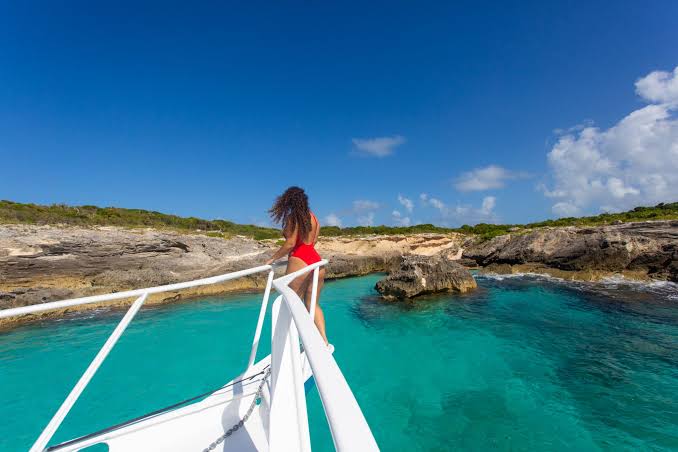
Avoid airport queues and roaming surprises in Anguilla. Choose the best eSIM for Anguilla travel in 2026 with NexaEsim. Pre-activate plans, check device compatibility (iPhone, Pixel, Samsung), get setup tips, and be online on arrival. Covers data plans, coverage, and troubleshooting for tourists, business travelers, and digital nomads.
Quick Answer
For reliable, pre-activated mobile data in Anguilla, the best option is a NexaEsim Anguilla plan. You can purchase and install your eSIM online before you travel, skipping airport queues and ensuring you're online immediately upon arrival. NexaEsim offers flexible plans for various trip lengths and data needs, from light tourist use to heavy remote work, with device-specific setup guides and easy top-ups.
Why Choose NexaEsim for Your Anguilla Trip?
Long airport queues and unexpected roaming charges can quickly detract from your Anguilla experience. NexaEsim provides a seamless solution, allowing you to secure your mobile data before you even depart. Here’s why it’s the smart choice for travelers:
- Pre-activate Before You Leave: Install your eSIM profile at home via QR code or in-app provisioning, avoiding arrival hassles and ensuring instant connectivity on landing.
- Flexible Plans for Every Traveler: Choose from a range of durations (1, 7, 15, 30 days) and data tiers (1GB, 10GB, unlimited options) to perfectly match your trip length and usage needs, whether you're a light user, a family, a business traveler, or a digital nomad.
- No Physical SIM Swaps: Keep your home SIM active for calls and SMS while using your NexaEsim for local data, especially useful for dual-SIM compatible devices like modern iPhones, Samsung Galaxy, and Google Pixel phones.
- Easy Mid-Trip Top-Ups: Extend your data or plan duration directly from your NexaEsim account or app, without needing to visit a local store.
- Business-Friendly Features: NexaEsim supports invoiceable receipts for expense reporting, making it ideal for business travelers and students seeking reimbursement.
- Reliable Support & Device Compatibility: Access clear setup guides, device compatibility checks, and troubleshooting resources to minimize activation issues.
Understanding Connectivity in Anguilla
Connectivity in Anguilla typically varies by location. Resorts and main towns usually offer reliable 4G coverage, while remote beaches, small cays, and rural stretches may have weaker or intermittent signals. NexaEsim provisions service via local partner networks, which may include major regional operators (e.g., Digicel or Flow) depending on your plan and availability. Actual roaming partners and coverage depend on provisioning and the specific plan you choose.
Coverage & Speed Expectations by Area:
- AIA (Clayton J. Lloyd International Airport): Expect to get online at arrivals if your eSIM is pre-activated and your device supports eSIM profiles. Use the arrival checklist below to confirm.
- Main Towns & Resort Areas: These areas generally offer the best speeds and most consistent 4G/LTE coverage. Indoor coverage can vary by building materials and resort infrastructure.
- Beaches, Ferries & Remote Cays: Coverage may be spotty. Plan to download offline maps and pre-load content for excursions. For boat trips or long beach days, consider a data buffer (extra GB or an unlimited plan) and a charged power bank.
4G vs. 5G in Anguilla:
4G/LTE is the primary reliable mobile technology for most visitors. 5G availability may be limited or selective across the island. Do not assume uniform 5G coverage at all hotels or beaches; verify current coverage with carrier maps or NexaEsim coverage overlays after activation if 5G is critical for your trip.
NexaEsim Anguilla Plans: Finding Your Perfect Fit
NexaEsim offers a range of flexible plans to suit every traveler's needs, from short-term visits to extended stays. Choose the duration and data allowance that best fits your trip and usage habits.
Data Sizing Guide: How Much Data Do You Need?
Estimating your daily data usage can help you pick the right plan. Here’s a general guide:
- Light User (0.2-0.5GB/day): Messaging (text, small photos), maps/navigation (offline caching + occasional live routing), occasional email checks. Ideal for those relying on Wi-Fi for heavy tasks.
- Moderate User / Social Sharer (1-2GB/day): Daily maps, frequent social media (photos, light video), some streaming at standard quality, regular email.
- Heavy User / Remote Worker (3+GB/day): Frequent video calls, HD streaming, large file uploads/downloads, extensive navigation, tethering multiple devices.
NexaEsim Anguilla Plan Comparison by Traveler Type
| Traveler Type | Suggested Plan Length | Data Guidance | Key Benefits |
|---|---|---|---|
| Short-Trip Tourist (1-7 days) | 7 days (or 1-day for layovers) | 1GB (light) to 10GB (moderate) | Immediate connectivity, avoids airport queues, budget-friendly options. |
| Vacationers (7-15 days) | 7 or 15 days | 5GB to 15GB (mixed usage) | Balanced duration, covers daily social, maps, light streaming. Easy top-ups. |
| Families & Groups | 7, 15, or 30 days | High GB (20GB+) or Unlimited; consider per-person needs | Multi-device support via hotspot (fair-use applies), single billing, easy top-ups. |
| Business Travelers | 7 to 30 days | Higher data (15GB+) or Unlimited | Reliability for video calls/meetings, hotspot-ready (fair-use), invoiceable receipts. |
| Digital Nomads / Long Stays | 30 days or rolling | High data (30GB+) or Unlimited | Longer coverage, multi-profile management, remote top-ups, business billing. |
| Students Studying Abroad | Multi-month / Semester | 3-30GB+ per month (based on usage) | Remote top-ups, invoiceable receipts for reimbursement, semester-length management. |
Specific Plan Recommendations:
- Budget-Friendly (1GB for 5 days): Ideal for very light users focused on essential messaging, maps, and occasional email checks. Rely on Wi-Fi for heavy browsing.
- Standard Vacation (10GB for 7-15 days): A popular choice for typical vacationers, covering daily navigation, social media, photo uploads, and light streaming.
- Extended Stays (15-day High-Speed Data): Perfect for two-week holidays or those needing a balanced duration with the flexibility of mid-trip top-ups.
- Heavy Users & Long-Term (30-day Unlimited Data): Designed for remote workers, heavy streamers, or those needing extensive data for a month. Note that 'unlimited' plans are subject to NexaEsim's fair-use policy, which may moderate speeds after very high usage or heavy hotspotting.
For current pricing and exact data allowances, please visit the NexaEsim Anguilla product page.
Buying Your Anguilla eSIM: Online vs. Airport
Deciding where to purchase your eSIM can significantly impact your arrival experience. Here’s a comparison to help you choose:
Physical SIM at Anguilla Airport vs. NexaEsim Online Before Departure
| Feature | Physical SIM at Anguilla Airport | NexaEsim Online Before Departure |
|---|---|---|
| Availability & Convenience | May be available at airport/port vendors; not guaranteed, can involve queues, limited hours, and local ID requirements. | Guaranteed digital delivery; install and pre-activate from anywhere, anytime. Skip queues. |
| Time to Connect | Depends on queue, vendor setup time, and activation process (minutes to hours). | Install in minutes; often instant provisioning when pre-activated. Be online on arrival. |
| Plan Flexibility & Choice | Limited to on-site carrier offers and stock; may have local promos. | Wider plan options (1/7/15/30 days, various GB tiers), transparent pricing, easy top-ups. |
| Device Handling | Requires physical SIM swap; risk of losing original SIM. Good if your phone lacks eSIM. | No physical swap; installs digitally via QR/SM-DP+. Keep your home SIM active for calls/SMS. |
| Billing & Receipts | Vendor may provide local receipt; invoiceable receipts not guaranteed. | Invoiceable receipts and billing options available through NexaEsim account (verify in billing docs). |
| Risk & Support | No-stock risk, queue delays, unknown plan details, limited in-person support hours. | Lower risk – plan details visible before purchase, 24/7 account access, remote support available. |
Recommendation: For immediate data on arrival, predictable billing, and fewer logistics at the airport, buying your NexaEsim online before travel is highly recommended.
How to Buy Your NexaEsim in 1 Minute:
- Open the NexaEsim Anguilla product page and select your desired trip duration and data bucket.
- Complete secure checkout (card/Pay options shown). If needed, select the invoice option for a business receipt.
- Receive your activation QR code or profile in-app/email instantly.
- Install the eSIM on your device (iPhone/Android/Pixel) following the on-screen steps.
- Choose to pre-activate (recommended) or set a start date for activation on arrival.
Practical Setup & Activation Guide
Ensuring your device is ready and your eSIM is correctly installed is key to a smooth start to your trip.
Device Compatibility Checklist:
Before purchasing, confirm your phone supports eSIM and is unlocked. Most recent iPhone, Google Pixel, and Samsung Galaxy models commonly support it. If in doubt, use the device compatibility checker on the NexaEsim website or contact support.
- Supported Devices: Modern iPhone (XS and newer, including iPhone 15 Pro Max), Google Pixel (Pixel 3 and newer), and Samsung Galaxy (S20 and newer, including S24) models commonly support eSIM.
- Android Version: eSIM setup UI and menu paths differ slightly by Android release (Android 12-15). Ensure your device is updated.
- Carrier Lock: Carrier-locked phones can restrict eSIM activation. Verify your device is unlocked for international eSIM use.
- Profile Limits: Devices can store multiple eSIM profiles, but limits vary. Tidy old profiles if you need to free space.
Pre-activation vs. Activate-on-Arrival:
NexaEsim offers flexibility in when your plan starts:
- Pre-activate (Recommended): Order and set up the eSIM before travel. This ensures you're online immediately on arrival, avoiding airport Wi-Fi limitations or late-night setup. Activate 24-48 hours before landing to catch any device issues.
- Start-on-Arrival: Choose this if you want the data validity to begin only when you land in Anguilla. This preserves the full duration of your plan but may require setup with limited Wi-Fi or mobile data.
Step-by-Step eSIM Installation:
After purchase, you'll receive a QR code or SM-DP+ details. Follow these general steps, noting that menus may vary slightly by device and OS version:
For iPhone (General & iPhone 15 Pro Max):
- Open Settings > Cellular > Add Cellular Plan.
- Scan the NexaEsim QR code provided or choose 'Enter Details Manually' and paste the SM-DP+ address and activation code.
- Follow prompts to add the plan, label it (e.g., 'Anguilla eSIM'), and select it for Cellular Data.
- Enable Data Roaming in Settings > Cellular > Cellular Data Options if required. Restart your iPhone if the connection doesn't appear immediately.
For Android (General, Google Pixel & Samsung Galaxy S24):
- Open Settings > Network & internet > SIMs or Mobile network > Add eSIM / Add mobile plan (menu names vary by OEM).
- Scan the provided QR code or choose 'Enter code manually' and paste the SM-DP+ address and activation code from your NexaEsim confirmation.
- Set the NexaEsim plan as your data SIM and disable home carrier data roaming to avoid unexpected charges.
- Restart your Android device if the profile doesn't connect immediately.
For detailed, annotated walkthroughs with screenshots, refer to the NexaEsim Installation & Activation hub.
Dual-SIM & Hotspot/Tethering Tips:
- Dual-SIM Setup: On compatible devices, you can keep your home physical SIM active for calls/SMS and set the NexaEsim as your primary data line. Configure these options in your phone's SIM card manager settings.
- Hotspot/Tethering: Hotspot functionality is generally allowed with NexaEsim plans, but it is subject to fair-use policies. For heavy, continuous tethering or multi-device HD streaming, monitor your data consumption and consider a larger data tier or top-up to avoid throttling.
Arrival Checklist & Troubleshooting
A smooth arrival means being connected from the moment you land. Here’s what to do and how to quickly resolve common issues.
On Arrival at AIA (Clayton J. Lloyd International Airport):
- Turn off Airplane Mode and enable mobile data.
- If you have multiple SIMs/eSIMs, set the NexaEsim profile as your active mobile data line in your phone's settings.
- Enable Data Roaming for the eSIM profile if prompted or if data isn't connecting.
- Run a quick connectivity test: open a web page, load a map, or send a message via a messaging app.
- If you need to use your phone for business calls or tethering, run a quick video call or tether test to verify quality.
Common Mistakes to Avoid:
- Not confirming eSIM support on your phone model before purchase.
- Forgetting to enable Data Roaming or to select the NexaEsim profile as your mobile data line.
- Waiting to buy at the airport when you need to be online immediately for transfers or meetings.
- Deleting the eSIM profile immediately after testing; keep it until your trip ends if you may need to re-enable it.
Troubleshooting Quick Fixes:
| Symptom | Quick Checks & Actions | Escalate (if issue persists) |
|---|---|---|
| No service after activation | Toggle Airplane Mode on/off. Restart the phone. Ensure the eSIM profile is enabled and selected for data. Try manual network selection. | Contact NexaEsim support with device model, OS, and screenshots. |
| Cellular data not working | Confirm mobile data is on for the eSIM. Check APN settings (if required, usually automatic). Ensure Data Roaming is enabled for the eSIM. | Reinstall the eSIM profile using the original activation code. Contact NexaEsim support. |
| QR/Activation errors | Remove the profile and re-install using the original QR/activation code. Ensure your OS is up to date. Use manual SM-DP+ entry if QR fails. | Contact NexaEsim support with device model, OS, and screenshots. |
| Top-up not provisioned | Wait a few minutes, then restart the phone. Confirm payment method. | Contact NexaEsim support with order details and payment confirmation. |
| Hotspot/Tethering fails | Confirm tethering is allowed in your plan terms. Restart the host device. Check battery saver and connection settings. | Contact NexaEsim support to verify fair-use policy or plan limits. |
When contacting NexaEsim support, speed up resolution by providing your Order ID, device model, OS version, and screenshots of any error messages or relevant settings.
Important Travel Notes for Anguilla
- Weather & Seasonality: Anguilla has a tropical climate. The Caribbean hurricane season typically runs from June to November. Check official weather services and local advisories before travel; avoid assuming uninterrupted service during severe weather. Peak tourist season can also increase network load.
- Visa & Entry Reminder: eSIM access is independent of entry rules. Always verify visa and passport requirements with official government, embassy, or airline sources before departure. Do not rely on this page for legal entry advice.
Frequently Asked Questions (FAQ)
Which eSIM is best for Anguilla travel in 2026?
NexaEsim Anguilla plans are highly recommended for pre-activation and immediate online access on arrival. Choose a data bucket and duration (1, 7, 15, or 30-day unlimited) that matches your trip length and usage needs (light user, social sharing, remote work).
Can I pre-activate an Anguilla eSIM online or should I buy a physical SIM at the airport?
Pre-activating online with NexaEsim is recommended to guarantee connectivity on arrival and avoid unpredictable airport queues or limited vendor stock. Buying a physical SIM at the airport is an option if your phone doesn't support eSIM, you prefer in-person help, or need to pay in cash.
How much data do I need for a 7/10/14-day trip?
Estimate per-day use: light users 0.2–0.5GB/day, social sharers 1–2GB/day, remote workers 3+GB/day. Multiply by trip days and add a buffer for maps and uploads. NexaEsim offers various data tiers to match your needs.
Will my iPhone/Samsung/Pixel work with a NexaEsim Anguilla plan?
Most recent eSIM-capable iPhone (XS and newer), Samsung Galaxy (S20 and newer), and Google Pixel (Pixel 3 and newer) models support eSIM. Check your device settings for eSIM compatibility and ensure your phone is unlocked before purchase.
Does NexaEsim offer invoiceable receipts for business or student reimbursement?
Yes, NexaEsim supports invoiceable receipts for business customers and students through the billing section of your account or by request during purchase. Verify details when purchasing or contact support for documentation.
How do I top up my Anguilla eSIM?
Top-ups are available from your NexaEsim account or app. Provisioning times are typically fast but may vary. Monitor your usage and top up before you run out to avoid interruptions.
Can I use hotspot/tethering with my Anguilla eSIM?
Hotspot/tethering is commonly supported but may be subject to fair-use policies. Check NexaEsim terms for your specific plan. For multi-device sharing or heavy use, conserve data by limiting streaming and using offline content where possible, or consider a larger data plan.
What if my eSIM shows 'No Service' after activation?
Try these quick fixes: restart the phone, toggle airplane mode, ensure the eSIM is enabled and selected for data, try manual network selection, and check APN settings if required. If the issue persists, contact NexaEsim support with your device model and screenshots.
Is 5G available in Anguilla?
4G/LTE is the primary reliable mobile technology. 5G availability may be limited or selective; check operator coverage maps for 5G layers if this is critical for your trip.
Final Steps & Strong Call to Action
If you want reliable, pre-activated connectivity in Anguilla and to avoid arrival friction, choose NexaEsim. Select your trip duration and data bucket now and be online on arrival:
Buy Your NexaEsim Anguilla Plan Now!
For device compatibility checks or any questions regarding invoicing or provisioning, contact NexaEsim support.



