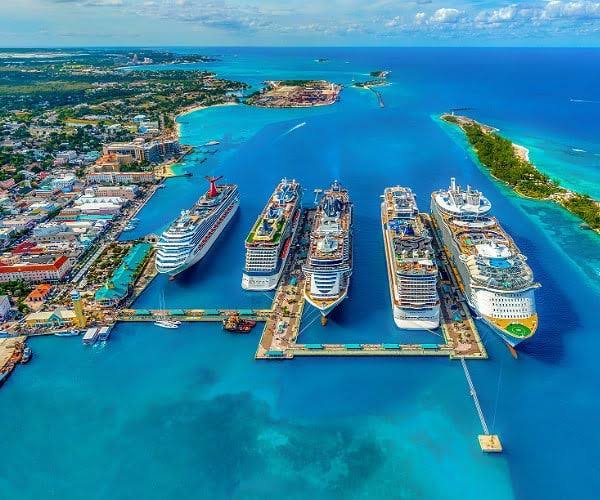
Planning a trip to the Bahamas in 2026? Learn why NexaEsim is the top choice for seamless connectivity, offering flexible plans, instant activation, and reliable data across the islands. Skip airport queues and stay online from the moment you land.
Quick Answer: Your Best Bahamas eSIM for 2026
For most travelers heading to the Bahamas in 2026, a pre-activated NexaEsim Bahamas plan is the top recommendation. By purchasing and installing your eSIM online before you depart, you can bypass airport queues, avoid unexpected roaming charges, and connect to the internet within minutes of landing. NexaEsim provides a variety of plans, including options for 1, 7, 15, or 30 days, and various data allowances (from 1GB to unlimited plans, subject to fair-use policies). These plans cater to all types of visitors, whether you're a budget-conscious tourist, a family on vacation, a business traveler, a digital nomad, or a student studying abroad. Plus, you'll receive an invoiceable receipt, simplifying any expense reporting.
Why Choose NexaEsim for Your Bahamas Adventure?
Selecting NexaEsim for your Bahamian getaway offers several key advantages, ensuring a smooth and connected experience:
- Instant Connectivity: Activate your eSIM before you even leave home and enjoy immediate internet access upon arrival, eliminating the need to search for local SIM cards or endure airport delays.
- Flexible Data Plans: Choose from diverse durations (1, 7, 15, 30 days) and data options (including 1GB, 10GB, and unlimited data) to perfectly match your trip's length and your specific data requirements.
- Transparent & Cost-Effective: Say goodbye to bill shock. NexaEsim offers clear pricing, helping you manage your budget without hidden roaming fees. Plans range from affordable options for light users to more substantial data packages for heavy consumption.
- Invoiceable Receipts: Easily download detailed receipts, ideal for business expenses, corporate travel, or university reimbursements, streamlining your financial administration.
- Remote Management: Need more data or want to extend your stay? Top up your plan directly from your NexaEsim account, without the hassle of swapping physical SIM cards.
- Broad Device Compatibility: NexaEsim plans are compatible with most modern, carrier-unlocked smartphones, including popular iPhone, Samsung Galaxy, and Google Pixel models that support eSIM technology.
- Hotspot Ready: Most plans support personal hotspot/tethering (subject to fair-use policies), allowing you to share your internet connection with other devices, perfect for families or multiple gadgets.
Internet Experience in the Bahamas: Coverage, Speed & Local Networks
Connectivity across the Bahamian archipelago can vary. In major urban centers and popular tourist destinations like Nassau and Paradise Island, you can generally expect reliable 4G LTE service. While some areas might offer limited 5G coverage, 4G typically provides sufficient speeds for navigation, messaging, social media, streaming, and video calls. However, coverage can become more sporadic on smaller Out Islands, remote cays, and during boat or ferry journeys between islands.
NexaEsim partners with leading local networks in the Bahamas, which may include major operators such as BTC and Aliv. The specific network your eSIM connects to can depend on the plan and local availability. For precise coverage details for the islands you plan to visit, it's always advisable to consult the carrier's official coverage maps.
Local Network Performance & User Insights
Here's a general overview of local network performance based on common user experiences:
| Network Provider | Coverage Strength | Speed Expectation | User Experience Notes |
|---|---|---|---|
| BTC (Bahamas Telecommunications Company) | Broadest coverage, especially on major islands and some Out Islands. | Generally reliable 4G LTE, occasional 5G in select urban zones. | Often praised for its extensive reach, though speeds can fluctuate in very remote areas or during peak times. Good for general browsing and communication. |
| Aliv | Strong coverage in urban areas, tourist hotspots, and major islands. | Often noted for competitive 4G LTE speeds, with some 5G rollout. | Many users report good speeds in populated areas, making it suitable for streaming and video calls. Coverage can be less extensive than BTC in truly remote locations. |
Traveler Tip: While 4G is widely available, downloading offline maps and essential travel information before venturing to smaller islands can be a lifesaver, as data signals can be intermittent. For critical business communication, prioritize consistent 4G performance over peak 5G speeds, as 4G often offers more stable VPN and voice call quality.
Important Considerations for Your Trip
- Speed & Congestion: Actual data speeds are influenced by your location, device, and current network load. During peak tourist seasons, you might experience increased network congestion.
- Seasonality & Weather: The Bahamas experiences a tropical climate, with hurricane season typically running from June to November. Severe weather can impact travel and internet service. Always check current local advisories before your trip.
- Visa & Entry Reminder: Visa and entry requirements for the Bahamas can change. Always verify the latest rules with official government, embassy, or airline sources before departure. This guide does not offer legal entry advice.
eSIM vs. Physical SIM: Which is Better for the Bahamas?
Deciding between an eSIM and a traditional physical SIM card for your Bahamas trip involves weighing convenience against local access. Here's a comparison:
| Feature | Buying a Physical SIM at Bahamas Airport | Buying NexaEsim Online Before Departure |
|---|---|---|
| Time to Get Connected | Typically 15–60+ minutes (involves queues, ID checks, store hours, physical swap). | Minutes after landing if pre-activated (instant provisioning is common). |
| Convenience | Requires local purchase, potential cash/card limits, physical SIM swap (risk of temporarily losing primary number). | Purchase in your home currency, receive QR/manual install details, no SIM swapping needed, keep home SIM active. |
| Plan Choice | Local plans available but often limited to retail stock or kiosk offerings. | Clear 1/7/15/30-day and higher-data options; choose before travel, easy top-ups. |
| Best For | Last-minute visitors without eSIM devices, those who prefer in-person assistance, or need a local Bahamian number immediately. | Travelers seeking immediate connectivity on arrival, wanting to avoid queues, needing predictable receipts, and valuing pre-trip setup. |
| Receipts / Invoicing | May be basic or vary by vendor; corporate fields often limited. | Downloadable invoiceable receipts for expense reporting; corporate billing support available. |
| Activation Friction | Physical installation required, potential language or payment barriers at kiosks. | Scan QR or use SM-DP+; quick device checks required; remote support available. |
Choosing Your Ideal NexaEsim Bahamas Plan
NexaEsim offers a range of plans designed to fit different travel durations and data usage profiles. Matching your plan to your needs ensures you have enough data without overspending.
Plans by Trip Length & Data Needs
- 1-3 Days (Light User / Budget Traveler): Perfect for short weekend trips, layovers, or emergency data. Sufficient for basic navigation, messaging, and email. Consider a 1GB/5-day plan.
- 4-8 Days (Moderate User / Vacationer): Suits shorter vacations with daily navigation, social media updates, music streaming, and occasional video clips. A 10GB plan often works well for 5-10 days of mixed use.
- 8-15 Days (Mid-Length / Multi-Island Explorer): For longer vacations, island hopping, or moderate remote work. Provides ample data for photos, occasional streaming, and consistent connectivity. A 15-day high-speed data plan is a good choice.
- 30+ Days (Heavy User / Remote Work / Students): Best for extended stays, digital nomads, business travelers with frequent video calls, or students studying abroad. A 30-day unlimited data plan (subject to fair-use policy) offers peace of mind.
Data Budgeting: How Much Data Do You Really Need?
Estimating your data consumption helps you select the right plan. Usage varies significantly based on your online activities:
Practical Data Usage Examples (Estimates)
- Light User (Maps & Messaging Only): Approximately 50–200 MB per day. Using offline maps can significantly reduce data consumption.
- Moderate User (Maps, Messaging, Photo Uploads, Light Social): Roughly 250–800 MB per day.
- Social Poster (Frequent Photo/Video Uploads): Around 500–800 MB per day. High-resolution photo and video uploads consume data rapidly.
- Streamer (Music/Occasional Video): About 1.5–4 GB per day. Video streaming is the biggest data consumer.
- Business Traveler (SD Video Call): Roughly 0.5–1 GB per hour.
- Business Traveler (HD Video Call): Approximately 1.5–3 GB per hour.
- Business Traveler (Email + VPN - light): Around 50–150 MB per day.
- Family of 4 (7-day trip, light streaming/navigation): 10–25 GB total (if shared via hotspot).
Multiply your estimated daily usage by your trip length and choose the NexaEsim plan that best fits. If you anticipate heavy tethering or continuous multi-device use, consider a larger plan or be prepared to top up during your trip.
Device Compatibility & Pre-Flight Checks
Most modern smartphones support eSIM technology. Before purchasing, confirm your device is compatible and carrier-unlocked for international use.
- Confirm eSIM Support: Check your phone's settings for options like 'Add Cellular Plan' (iOS) or 'SIM card manager' / 'Add carrier' (Android).
- Carrier Unlocked: For third-party eSIMs, your device must typically be unlocked. If you're unsure, contact your home carrier.
- Update OS: Ensure your device is running a recent version of iOS or Android for optimal performance.
iPhone (iOS) Compatibility & Setup
NexaEsim's Bahamas eSIMs are compatible with most recent iPhone models (e.g., iPhone 15 Pro Max, iPhone 14 series, etc.), provided they are carrier-unlocked and running a supported iOS version.
Samsung Galaxy (Android) Compatibility & Setup
Samsung Galaxy S24 and other modern Galaxy models (with One UI) generally support NexaEsim Bahamas eSIMs, given they have eSIM functionality.
Google Pixel & Other Android Devices
Most Google Pixel models and other Android devices from manufacturers like Huawei, Oppo, and Xiaomi that feature eSIM support are compatible. Note that menu paths may differ slightly across various Android OEMs.
Practical Setup, Arrival, and Mistake-Prevention Guidance
Pre-Flight Checklist
- Charge Your Device: Ensure your phone is fully charged before your flight.
- Confirm eSIM Support & Unlock Status: Double-check your device's compatibility and confirm it is unlocked.
- Install eSIM: Purchase and install your NexaEsim profile using the QR code or manual entry while connected to Wi-Fi before boarding your flight. Save a screenshot of the QR/activation code and your order receipt.
- Backup: Back up any important data and note your home carrier settings if you plan to keep your primary SIM active.
- Offline Resources: Download offline maps, tickets, and translation apps as a reliable backup.
60-Second Arrival Checklist to Get Online Fast
- Disable Airplane Mode: Turn off flight mode (or toggle it off/on to force network registration).
- Enable eSIM Profile: Navigate to Settings > Cellular / Network settings and ensure your NexaEsim line is enabled.
- Set as Data Line: Designate the NexaEsim line as your default data line (Settings > Cellular > Cellular Data).
- Enable Data Roaming: If data isn't working or if prompted, enable Data Roaming for the eSIM.
- Restart Device: After activation, restart your phone and test by loading a quick web page or map to confirm connectivity.
Quick Install Notes (iOS)
Install: Go to 'Settings' > 'Cellular' > 'Add Cellular Plan'. Scan the NexaEsim QR code (from your purchase email or account) or select 'Enter Details Manually' and paste the SM-DP+ address and activation code. Label the plan (e.g., 'Bahamas') and set it as your default data line.
Quick Install Notes (Android — General)
Android installation steps can vary by OEM (Samsung, Pixel, etc.). Typical steps include: 'Settings' > 'Network & Internet' > 'SIMs' > 'Add eSIM' > scan QR or enter code. For Samsung (One UI): 'Settings' > 'Connections' > 'SIM card manager' > 'Add mobile plan'. Label the eSIM and set it as your preferred option for mobile data.
Common Mistakes to Avoid
- Not verifying device eSIM compatibility or unlock status before purchase.
- Forgetting to set the NexaEsim profile as the default data line.
- Deleting the eSIM profile before confirming successful connectivity.
- Assuming hotspot data is unlimited; heavy or sustained tethering may encounter fair-use limits.
- Not requesting an invoice during checkout if you require reimbursement.
Troubleshooting Quick Fixes & Support
Troubleshooting Matrix
| Symptom | Quick Fix (Try in this order) | If Unresolved (Contact Support) |
|---|---|---|
| No service after activation | Toggle Airplane Mode on/off, ensure eSIM is enabled, set eSIM as data line, restart device. | Collect activation screen & signal screenshots, contact NexaEsim support with order ID, device model, OS. |
| Cellular data not working | Enable mobile data/roaming for eSIM, check default data SIM, restart device, try manual network selection. | Save a speed-test screenshot, send device model + OS to support. Check APN settings if guided by support. |
| QR/SM-DP+ install fails | Retry on stable Wi-Fi, use manual SM-DP+ entry method. | Open support ticket with installation screenshots, order ID. |
| Hotspot/tethering not working | Verify Cellular Data is set to the eSIM, confirm tethering is allowed by plan (subject to fair-use). | Contact support to confirm plan's hotspot policy and troubleshoot device settings. |
| Top-up not applied | Refresh account, re-login, wait 5–10 minutes. | Provide top-up receipt and screenshots to support. |
Copy-Paste Support Template
Subject: Bahamas eSIM issue - Order [YOUR ORDER ID]
Hi NexaEsim support,

I am experiencing an issue with my Bahamas eSIM.

Order ID: [YOUR ORDER ID]
Device: [MAKE & MODEL, e.g., iPhone 15 Pro Max, Samsung Galaxy S24]
OS & Version: [iOS/Android version, e.g., iOS 17.5, Android 14]
Installed eSIM Name/ID (if available): [e.g., 'Bahamas NexaEsim']
Exact Symptom: [e.g., 'No Service', 'Cellular data not working', 'Hotspot failing']
Time & Location (City/Island): [e.g., 'Nassau, 10:30 AM EST']
Steps Already Tried: [e.g., 'Restarted device, toggled Airplane Mode, enabled Data Roaming, checked default data line']
Screenshots/Logs Attached: [Yes/No]

Please advise on the next steps.

Thanks,
[Your Name]
Top-ups, Invoiceable Receipts & Account Management
- Top-ups: Easily add more data or extend your plan duration directly from your NexaEsim account dashboard. Top-ups are typically instant or appear within minutes.
- Invoiceable Receipts: NexaEsim provides downloadable invoiceable receipts suitable for expense claims. Request or download your receipt during checkout or from your NexaEsim account (Account > Orders). For corporate or multi-seat invoicing, contact NexaEsim support via the billing path in your account.
- Multi-Stop Travel & Team Purchases: For multi-stop itineraries, consider whether a single multi-country plan or separate country plans best fit your schedule. Manage multiple eSIM profiles from your NexaEsim account. For team or bulk purchases, contact NexaEsim sales for corporate billing and bulk invoicing options.
Frequently Asked Questions (FAQ)
Which eSIM is best for the Bahamas in 2026?
NexaEsim's Bahamas plans (available for 1, 7, 15, 30 days, and with various data options including unlimited subject to fair-use) are highly recommended. Choose the duration and data allowance that aligns with your trip length and usage needs for seamless connectivity.
Can I pre-activate a Bahamas eSIM and be online on arrival?
Yes, pre-activation is strongly encouraged. Purchase and install your NexaEsim profile before your flight. Then, follow the 60-second arrival checklist upon landing to quickly get online. While provisioning is usually instant, allow for potential minor delays during peak travel seasons.
Will my iPhone / Samsung / Pixel work with a Bahamas eSIM?
Most modern, carrier-unlocked iPhone, Samsung Galaxy, and Google Pixel models support eSIM technology. Always check your specific model's support pages or device settings ('Add Cellular Plan' or 'SIM card manager') and confirm it is not carrier-locked before making a purchase.
Is it better to buy an eSIM online or at the Bahamas airport?
Buying a NexaEsim online and pre-activating is generally more convenient and faster, as it helps you avoid airport queues and allows you to test your setup before departure. Physical SIMs at the airport are an option if your device isn't eSIM-compatible or if you prefer in-person assistance, but be prepared for potential queues and limited operating hours.
How much data do I need for 7/15/30 days in the Bahamas?
Data needs vary: light users (maps, messaging) might need 1-3GB for a 7-day trip; moderate users (social media, occasional streaming) 5-10GB; heavy users (frequent streaming, video calls, tethering) 15GB+ or an unlimited plan. Refer to the 'Data Budgeting' section above for detailed examples.
Does eSIM work on ferries and remote islands?
eSIMs rely on the local cellular network coverage. While major islands and urban centers typically have good coverage, service on ferries and remote Out Islands can be weaker or intermittent. It's wise to download offline maps and expect potential connectivity gaps outside main population centers.
Can I use my eSIM for business calls and hotspot tethering?
Yes, NexaEsim plans support data for VoIP/phone calls and tethering, subject to each plan's fair-use policy. Select a plan that accounts for your expected video call hours and includes a buffer for hotspot use. Be aware that heavy, sustained tethering may be subject to limitations.
How do I get an invoice/receipt for corporate or student expense reporting?
NexaEsim provides downloadable invoiceable receipts. After purchase, you can access and download the invoice PDF from your NexaEsim account (Account > Orders). For corporate invoices, remember to include your company name/VAT or Tax ID in the billing fields during checkout.
What if my eSIM shows 'No Service' after activation?
First, try the 60-second arrival checklist: toggle Airplane Mode, restart your device, ensure the eSIM is enabled and set as the data line, and toggle Data Roaming. If the issue persists, use the provided support template and contact NexaEsim support with your order ID, device model, and any relevant screenshots.
How fast do top-ups appear?
Top-ups are generally instant or appear within a few minutes. If a top-up doesn't reflect in your account, refresh your page, re-login, wait 5–10 minutes, then contact support with your top-up receipt and screenshots.
Ready to Skip Airport Queues? Buy Your Bahamas eSIM Now!
Avoid arrival friction and ensure you're online the moment you land in the Bahamas. Choose the NexaEsim Bahamas plan that best fits your trip duration and data needs, then pre-activate it before you fly. Get connected seamlessly for your vacation, business trip, or study abroad experience.



