Buy a Bolivia eSIM 7 days travel data plan from NexaEsim, or choose 1GB/5-day, 15-day, or 30-day unlimited options. Pre-activate with instant QR, get invoiceable receipts, and enjoy seamless connectivity on iPhone & Android.
Quick Answer
For a stress-free trip to Bolivia, pre-activate a NexaEsim Bolivia eSIM plan to be online instantly on landing. NexaEsim offers flexible options including 7-day travel data plans (1GB, 3GB, 5GB, 10GB), budget-friendly 1GB/5-day plans, extended 15-day high-speed data, and 30-day unlimited data for heavy users. All plans feature instant QR provisioning, invoiceable receipts, and are compatible with modern eSIM-capable iPhones (e.g., iPhone 15 Pro Max) and Android devices (e.g., Samsung Galaxy S24).
Why Choose NexaEsim for Your Bolivia Trip?
- Instant QR Provisioning: Buy and receive a QR code in seconds for quick activation.
- Skip Airport Queues: Pre-activate your eSIM before departure and avoid local SIM card lines and paperwork.
- Flexible Plan Durations: Choose from 5, 7, 15, or 30-day plans with various data allowances to match your travel style.
- Invoiceable Receipts: Download expense-ready receipts directly from your NexaEsim account.
- Hotspot-Friendly: Tethering is generally supported (subject to fair-use policies) for light sharing.
- Device Compatibility: Works seamlessly with modern eSIM-capable iPhones and Android devices.
- Easy Top-Ups: Conveniently add more data mid-trip if your needs change.
Bolivia eSIM Plan Options Overview
NexaEsim provides a range of Bolivia eSIM plans tailored for different travel durations and data needs:
- 1GB / 5-Day Plan: Ideal for very light users focused on essential maps, messaging, and emergency use.
- 7-Day Travel Data Plans (1GB, 3GB, 5GB, 10GB): Perfect for short trips, sightseeing, and business visits, offering flexibility for moderate data consumption.
- 15-Day High-Speed Data Plans: A balanced option for two-week vacations, offering reliable connectivity for navigation, communication, and moderate streaming.
- 30-Day Unlimited Data Plans: Designed for heavy data consumers, digital nomads, families, and extended business trips, providing ample data (subject to fair-use policy).
Internet Experience & Coverage in Bolivia
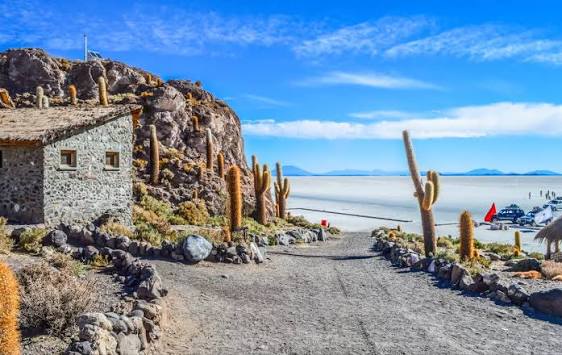
Mobile data coverage in Bolivia varies significantly by region. Expect stronger and more reliable service in urban centers like La Paz, Santa Cruz, and Cochabamba. Connectivity can be limited or intermittent in remote high-altitude areas such as the Altiplano, Salar de Uyuni, and parts of the Amazon basin.
- Local Partner Networks: NexaEsim connects via local partner networks, which may include major operators like Entel and Tigo, depending on the specific plan and regional availability. NexaEsim does not guarantee a specific operator for every purchase.
- 4G/5G Speeds: 4G is common in cities; 5G rollout is limited and should not be assumed. Speeds and latency vary by location, time of day, and network conditions.
- Seasonal & Weather Notes: Bolivia experiences distinct dry and wet seasons. Heavy rains during the wet season can affect travel plans and local network performance in rural areas. Always download offline maps and essential information before heading to remote or high-altitude regions.
- Visa & Entry Reminder: Visa and entry requirements can change. Always confirm current rules with the Bolivian embassy, your airline, or official government sources before departure.
Buying Comparison: Airport Physical SIM vs. NexaEsim Online
Choosing an eSIM before you travel offers significant advantages over buying a physical SIM upon arrival:
| Feature | Physical SIM at Bolivia Airport | NexaEsim Online (Pre-activate) |
|---|---|---|
| Speed to Get Online | May take 15–45 minutes (queues, ID checks, cash/local payment) | Ready on landing if pre-activated (instant QR provisioning) |
| Convenience & Hassle | Potential lines, local ID registration, physical SIM swap, limited opening hours | Buy in minutes online, avoid airport queues, no physical swap, keep home SIM active |
| Invoice for Expenses | Often limited or requires in-store paperwork | Downloadable invoiceable receipt from your NexaEsim account |
| Local Number | Provides a local phone number for calls/SMS | Primarily data-only; check plan details if calls/SMS are needed |
| Top-ups & Upgrades | May require returning to a store or specific local payment methods | Easy top-up/upgrade via your NexaEsim account, typically near-instant |
How to Buy Your Bolivia eSIM in 1 Minute at NexaEsim
- Visit the NexaEsim Bolivia product page.
- Choose your preferred plan duration and data allowance (e.g., 7-day, 10GB).
- Complete checkout. You'll receive an instant QR code (and SM-DP+ details) via email and in your NexaEsim account.
- Install the eSIM profile on your device (you can pre-activate before you fly or set it to start on arrival).
- Download your invoiceable receipt from your NexaEsim account for expense reporting.
Device Compatibility & Setup Guidance
NexaEsim Bolivia eSIMs are compatible with most modern eSIM-capable smartphones. Always confirm your device supports eSIM before purchase.
Quick Compatibility Checklist (iPhone & Android)
- eSIM Support: Confirm your phone model (e.g., iPhone 15 Pro Max, Samsung Galaxy S24) supports eSIM functionality.
- Unlocked Device: Ensure your device is unlocked from your original carrier for international eSIM use.
- Latest OS: Update your phone to the latest operating system version for optimal performance.
- QR Code Access: Save your NexaEsim QR code email or access your account for SM-DP+ details.
For iPhone Users (e.g., iPhone 15 Pro Max)
Step-by-Step Activation (QR Provisioning):
- Find your NexaEsim QR code in the confirmation email or your account.
- Open the iPhone Camera app and scan the QR, or go to 'Settings' > 'Cellular' > 'Add eSIM' > 'Use QR Code'.
- Follow the on-screen prompts to add the plan. Label it clearly (e.g., 'Bolivia Travel').
- Go to 'Settings' > 'Cellular' > 'Cellular Data' and select your NexaEsim profile.
- Ensure 'Data Roaming' is enabled for the eSIM profile.
Manual SM-DP+ Install (Fallback for iPhone):
If the QR scan fails, choose 'Add eSIM' > 'Enter Details Manually' and paste the SM-DP+ address and activation code supplied in your NexaEsim account or email. Then complete the same post-install checks above.
Dual-SIM, Default Voice/Data & Hotspot Notes for iPhone:
- Keep Your Physical SIM Active: iPhone 15 Pro Max supports eSIM + physical SIM.
- Configure Defaults: In 'Settings' > 'Cellular', set your 'Default Voice Line' (e.g., home SIM) and 'Cellular Data' (e.g., NexaEsim profile).
- Hotspot/Tethering: Usually works with NexaEsim plans but is subject to fair-use policies.
- Incoming Calls: If you need incoming calls on your home number, set voice to the physical SIM and data to the eSIM.
For Android Users (e.g., Samsung Galaxy S24, Google Pixel)
One UI Activation Steps (QR Provisioning) – Samsung Galaxy S24:
- Go to 'Settings' > 'Connections' > 'SIM card manager'.
- Tap 'Add mobile plan' > 'Scan QR' (use the QR provided by NexaEsim).
- Follow prompts, label the plan (e.g., 'Bolivia - Nexa'), and set preferred data line if required.
- Turn on 'Data Roaming' and confirm the mobile plan is active.
Generic Android Activation Steps (QR Provisioning):
- Open 'Settings' > 'Network & internet' > 'SIMs' or 'Mobile network'.
- Tap 'Add carrier' or 'Download a SIM' > 'Scan QR code'.
- Follow on-screen prompts to install and activate the eSIM.
- Set the eSIM as the mobile data source and enable 'Data Roaming' if needed.
Manual SM-DP+ Entry (Fallback for Android):
In the 'Add mobile plan' or 'Add carrier' section, choose the manual activation option and paste the SM-DP+ / activation code provided in your NexaEsim account. Confirm and label the plan.
Dual-SIM, Hotspot & APN Tips for Android:
- Dual-SIM Considerations: Label each line clearly in 'SIM card manager' (e.g., 'Home' and 'Bolivia'). Set the eSIM as the preferred data line for internet.
- Hotspot/Tethering: Hotspot is generally supported on NexaEsim plans but subject to fair-use limits. For heavy tethering, consider larger or 30-day plans.
- APN and Network Tweaks: If data does not connect, check APN settings in 'Settings' > 'Connections' > 'Mobile networks' > 'Access Point Names'. Ensure 'Preferred network type' (LTE/5G) is correctly set.
60–120 Second Arrival Checklist (Be Online Fast)
To ensure you're online the moment you land, follow these quick steps:
- Before Landing: Confirm your QR code is saved or printed, and your device is fully charged.
- On Arrival (Gate or Disembarkation):
- Enable Airplane Mode for 5–10 seconds, then disable it to force a fresh network scan.
- Ensure the NexaEsim profile is enabled and selected as your mobile data line in your phone's settings.
- Enable 'Data Roaming' for the eSIM profile.
- Test Connectivity: Wait up to 2 minutes for network registration. Run a quick Google search or map test to confirm.
- If No Signal: Try manual network selection (Settings > Network Operators), restart your phone, or consult the troubleshooting section below.
Top-up & Extend Mid-Trip
If you find yourself needing more data during your trip, topping up your NexaEsim plan is straightforward:
- Log in to your NexaEsim account.
- Go to 'Manage Plans' or your purchase history.
- Select your active Bolivia eSIM plan and choose a top-up package.
- Provisioning is typically fast, often within minutes.
For heavy users or longer stays, consider upgrading to a larger data plan (e.g., 15-day or 30-day unlimited) from your account.
Troubleshooting Quick Fixes
| Symptom | Quick Check | Next Step |
|---|---|---|
| No Service after Activation | Is Data Roaming enabled? Is the correct eSIM profile selected for mobile data? | Restart phone; toggle Airplane Mode off/on; try manual network selection (Settings > Network Operators); if still no service, contact NexaEsim support with your order ID. |
| Cellular Data Not Working | Check mobile data toggle and APN settings if prompted. | Reinstall eSIM from saved QR or check NexaEsim help pages. Confirm eSIM is set as primary data line. |
| QR Won't Scan | Is your camera clean? Is there enough light? | Use the manual activation code (SM-DP+) from your purchase email/account. Contact support with your order ID for a reissue if needed. |
| Slow Speeds after Heavy Use | Have you consumed a lot of data recently? | You may be affected by fair-use throttling. See NexaEsim policy in your account or consider a top-up. |
Frequently Asked Questions (FAQ)
How much data do I need for my Bolivia trip?
It depends on your usage and trip duration:
- 1GB (5 days): Basic maps, messaging, emergency use.
- 3-5GB (7 days): Maps, photos, occasional social media/video.
- 10GB+ (7-15 days): Frequent streaming, video calls, moderate tethering.
- Unlimited (30 days): Heavy streaming, digital nomad work, shared data (subject to fair-use).
Consider downloading offline maps and media to conserve data.
Can I pre-activate my NexaEsim Bolivia plan before flying?
Yes, absolutely. Pre-activating your eSIM before travel is highly recommended. It allows you to install the profile and be online the moment you land, reducing arrival stress and ensuring immediate connectivity. You can also choose a delayed start if you prefer to activate service only upon arrival in Bolivia.
Will the eSIM work in remote places like the Salar de Uyuni or high-altitude areas?
eSIMs use local partner networks and typically work well in urban high-altitude areas (like La Paz). However, coverage can be limited or intermittent in very remote locations such as parts of the Altiplano, the Amazon basin, or the Salar de Uyuni. Always download offline maps and essential information for remote excursions.
Can I use hotspot/tethering with my Bolivia eSIM plan?
Yes, hotspot/tethering is generally allowed with NexaEsim plans but is subject to fair-use limits. Light sharing (e.g., maps, email on a second device) is usually fine. Heavy, continuous tethering (e.g., streaming on multiple devices) may be restricted or subject to speed reductions under fair-use policies. For heavy tethering needs, consider a larger data plan or the 30-day unlimited option.
Is "unlimited data" truly unlimited in Bolivia?
"Unlimited" means there is no fixed GB cap for the duration of the plan. However, fair-use policies apply. After a significant amount of data consumption (which varies by plan and local network conditions), speeds may be reduced to ensure fair access for all users. Always check the NexaEsim fair-use policy in your account for specific details.
Do I get an invoiceable receipt for my purchase?
Yes. NexaEsim provides a downloadable invoiceable receipt after purchase. You can access this from your NexaEsim account purchase history, which is useful for business expense claims.
What should I do if my eSIM shows "No Service" after activation?
First, run through the quick checks: ensure Data Roaming is enabled, the correct eSIM profile is selected for mobile data, toggle Airplane Mode off/on, and restart your device. If issues persist, try manual network selection. If still unresolved, contact NexaEsim support with your device model, OS version, eSIM profile ID, and activation timestamp for faster resolution.
Ready to Buy Your Bolivia eSIM?
For a seamless and stress-free travel experience in Bolivia, choose a NexaEsim plan that fits your needs. Whether you need a 7-day plan for a short city break, a 30-day unlimited option for extended travel, or device-specific setup guidance for your iPhone 15 Pro Max or Samsung Galaxy S24, NexaEsim has you covered. Pre-activate your eSIM now to skip airport queues, get instant QR provisioning, and download an invoiceable receipt for your records.
Visit the NexaEsim Bolivia product page to choose your plan and be online on landing!



