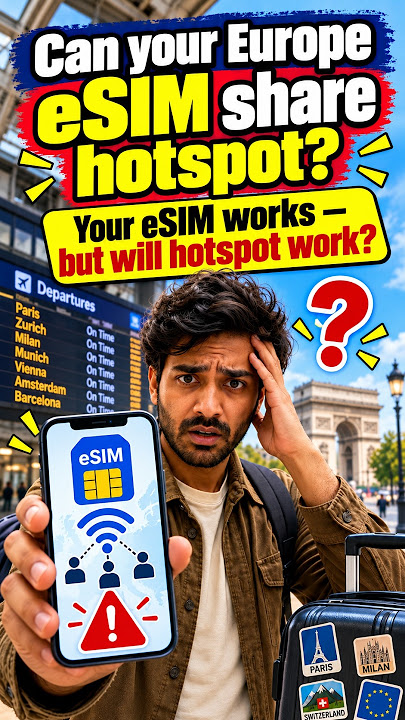
Yes, you can often use a hotspot with a Europe eSIM to share mobile data with other devices. This guide explains how to check compatibility, manage data, and ensure your devices stay connected across Europe.
Quick Answer
Yes, in most cases, you can use a hotspot with a Europe eSIM to share your mobile data connection with other devices like laptops, tablets, or even another phone. This functionality depends on two main factors: your smartphone supporting mobile hotspot features and your specific Europe eSIM plan allowing tethering. Many travel eSIMs for Europe are designed to offer this flexibility, making it a convenient solution for staying connected for work or leisure while traveling across the continent. Always verify the hotspot allowance in your chosen eSIM plan's details before purchase to ensure seamless connectivity.
What is an eSIM Hotspot and How Does it Work?
An eSIM hotspot transforms your smartphone into a portable Wi-Fi router. It utilizes your phone's mobile data connection, sourced from your active eSIM, and broadcasts it as a Wi-Fi signal. Other devices can then connect to this signal, just as they would to any public or private Wi-Fi network, using a password you set. This process is identical to using a hotspot with a traditional physical SIM card; the only difference is that the internet access comes from your digital eSIM profile.
For travelers in Europe, this means you can use your phone's data to connect a laptop for remote work in a café, keep a tablet online for navigation, or share internet access with a travel companion. It offers a reliable alternative when public Wi-Fi is unavailable, slow, or insecure.
Can All Europe eSIM Plans Support Hotspot?
No, not every Europe eSIM plan automatically includes hotspot or tethering capabilities. While many popular travel eSIM providers for Europe do support it, some plans may have restrictions. These restrictions can vary:
- Some plans explicitly allow hotspot without limitations.
- Others might permit hotspot but implement a 'Fair Usage Policy' (FUP) that reduces speeds after a certain amount of data is tethered.
- Certain 'unlimited' data plans may have a separate, smaller data cap specifically for hotspot usage.
- In rare cases, some budget-friendly plans might block tethering entirely.
Before you buy an eSIM for your Europe trip, always check the plan's terms and conditions. Look for phrases like "hotspot allowed," "tethering supported," or details regarding a "personal hotspot data limit" or "speed reduction after X GB of tethered data." This due diligence ensures your chosen NexaEsim Europe plan meets your connectivity needs.
Why Use a Hotspot with Your Europe eSIM?
Using a hotspot with your Europe eSIM offers significant advantages for various travel scenarios:
- Remote Work: If you're a digital nomad or need to work while traveling, an eSIM hotspot provides a reliable internet connection for your laptop, ensuring you can attend virtual meetings, send emails, and access cloud-based tools from anywhere in Europe.
- Enhanced Connectivity: Public Wi-Fi in Europe, whether in airports, hotels, or cafes, can often be slow, unreliable, or require cumbersome login processes. Your personal eSIM hotspot offers a more consistent and often faster connection.
- Multiple Devices: Connect your tablet for entertainment, a second phone for specific apps, or even smartwatches that require internet access.
- Group Travel: Share your data with family or friends if their devices lack an eSIM or if they're on a plan with less data. This can be a cost-effective solution for short-term sharing.
- Security: Public Wi-Fi networks can pose security risks. Using your own eSIM hotspot provides a more secure connection for sensitive tasks like online banking or accessing personal information.
For a broader understanding of your connectivity options, explore our Europe Travel SIM & eSIM Guide.
Hotspot for Remote Work in Europe
For digital nomads and business travelers, an eSIM hotspot is invaluable. Imagine needing to upload a large file or join a video conference while on the go in Berlin or Rome. Hotel Wi-Fi might be spotty, and finding a reliable café with strong internet can be a challenge. An eSIM hotspot provides that crucial backup, allowing you to maintain productivity.
However, remote work tasks can consume significant data. Video calls, screen sharing, large file downloads, and cloud backups can quickly deplete a fixed data plan. If you anticipate heavy work usage, consider a larger data package or an unlimited data eSIM for Europe that explicitly supports hotspot usage with a generous tethering allowance.
Can You Use a Hotspot with a Data-Only Europe eSIM?
Yes, you can often use a hotspot with a data-only Europe eSIM, provided the plan allows it. Most travel eSIMs are data-only, meaning they provide mobile internet access but do not include a traditional phone number for calls or SMS. This distinction typically does not affect hotspot functionality, as tethering primarily relies on the availability of mobile data, a compatible phone, and permission from the eSIM plan provider.
With a data-only eSIM, you can share your mobile data connection with other devices for web browsing, email, video calls via apps, navigation, and social media, just as you would with a full-service plan.
How Much Data Does Hotspot Use?
Hotspot usage can consume data much faster than simply using data on your phone. Here's why:
- Device Differences: Laptops and tablets often load full desktop versions of websites, which are heavier than mobile versions. They also run background applications, sync files to the cloud, and perform automatic software updates that can silently drain data.
- Activity Type: Basic browsing and email use relatively little data. However, activities like streaming high-definition video, participating in video conferences, downloading large files, or online gaming can consume hundreds of megabytes or even gigabytes per hour.
It's crucial to monitor your data usage, especially if you're on a fixed-data Europe eSIM plan. Many smartphones offer built-in data usage trackers in their settings, which can help you keep an eye on how much data your hotspot is consuming.
Unlimited Europe eSIMs and Hotspot Policy
The term "unlimited" for an eSIM plan doesn't always translate to unlimited high-speed hotspot data. Many unlimited plans come with a Fair Usage Policy (FUP) or specific clauses regarding tethering:
- Some unlimited plans might allow hotspot but cap the high-speed data available for tethering (e.g., 5GB or 10GB), after which speeds for the hotspot connection are significantly reduced.
- Other plans might apply a general FUP to all data usage, including hotspot, meaning overall speeds could be throttled after a very high threshold of data consumption.
If you plan to rely on an unlimited Europe eSIM for extensive hotspot use, particularly for remote work or multiple devices, carefully read the fine print. Ensure the plan's FUP and hotspot policy align with your expected data needs to avoid unexpected slowdowns.
Setting Up Hotspot with a Europe eSIM on iPhone
Setting up a personal hotspot with your Europe eSIM on an iPhone is straightforward:
- Install and Activate eSIM: First, ensure your Europe eSIM is properly installed and activated on your iPhone.
- Select eSIM for Mobile Data: Go to Settings > Cellular > Cellular Data and select your Europe eSIM as the primary line for mobile data.
- Enable Personal Hotspot: Navigate to Settings > Cellular > Personal Hotspot.
- Turn On Hotspot: Toggle "Allow Others to Join" to the ON position.
- Set Password: You'll see the Wi-Fi Network Name and Password. You can change the password if desired.
- Connect Device: On your other device (laptop, tablet), search for Wi-Fi networks, select your iPhone's hotspot name, and enter the password.
If you encounter issues, double-check that mobile data is enabled for your eSIM, that the eSIM is selected for cellular data, and that your plan supports tethering. For general device compatibility, check our eSIM Compatible Phones 2026 Device List.
Setting Up Hotspot with a Europe eSIM on Android
The steps for setting up a hotspot on Android are similar to iPhone, though menu names might vary slightly by device manufacturer (Samsung, Google Pixel, etc.):
- Install and Activate eSIM: Ensure your Europe eSIM is installed and active.
- Select eSIM for Mobile Data: Go to Settings > Network & Internet > Mobile network (or similar) and select your Europe eSIM for mobile data.
- Access Hotspot Settings: Navigate to Settings > Network & Internet > Hotspot & tethering.
- Enable Wi-Fi Hotspot: Tap on "Wi-Fi hotspot" and toggle it ON.
- Configure Hotspot: You can set the Network name (SSID) and Hotspot password here.
- Connect Device: On your secondary device, find your Android phone's hotspot network and connect using the password.
If the option is missing or not working, verify your device's hotspot capability and your eSIM plan's tethering allowance. Remember to ensure that data roaming is enabled for your eSIM line if required by the provider, but keep it off for your home SIM to avoid unexpected charges.
Troubleshooting: Why Your Europe eSIM Hotspot Might Not Be Working
If your Europe eSIM hotspot isn't working, consider these common reasons:
- E-SIM Plan Restrictions: The most frequent cause is that your specific eSIM plan for Europe does not support tethering or has a separate, depleted hotspot data allowance. Always re-check your plan details.
- Incorrect Mobile Data Selection: Ensure your Europe eSIM is explicitly selected as the active line for mobile data in your phone's settings. If your phone defaults to another SIM (physical or another eSIM), the hotspot won't work with your intended data plan.
- Weak Signal: If your phone has poor cellular reception in your current European location, the hotspot connection will also be slow or non-existent. Hotspots depend entirely on the strength and quality of the underlying mobile network.
- Data Roaming Settings: For some international eSIMs, you might need to enable "Data Roaming" specifically for that eSIM line in your phone's settings. Be cautious to only enable it for the travel eSIM, not your home SIM.
- Device Settings: Battery saver modes, low data modes, or certain carrier-specific settings on your phone can sometimes interfere with hotspot functionality.
- APN Settings: While less common for eSIMs, incorrect Access Point Name (APN) settings could occasionally prevent data and hotspot from working. Most eSIMs configure this automatically.
Addressing these points systematically can help you quickly resolve most hotspot issues.
Smart Tips to Save Data While Using an eSIM Hotspot in Europe
Hotspot data can deplete quickly, especially with laptops. Here are smart tips to conserve your Europe eSIM data:
- Disable Automatic Updates: Turn off automatic app and system updates on all connected devices (laptops, tablets) while using your hotspot.
- Pause Cloud Syncing: Temporarily pause cloud backup services (Google Drive, Dropbox, iCloud) that might be running in the background.
- Avoid High-Quality Streaming: Reduce video streaming quality on platforms like YouTube, Netflix, or social media. Opt for standard definition over HD or 4K.
- Close Background Apps: Close any unnecessary applications on your laptop or tablet that might be consuming data in the background.
- Download Offline Content: Download maps, movies, music, or documents on Wi-Fi before you head out, rather than relying on your hotspot.
- Monitor Usage: Regularly check your data usage in your phone's settings to stay aware of consumption.
- Use Audio Calls: For work, prefer audio-only calls over video conferences when possible.
eSIM Hotspot vs. Public Wi-Fi in Europe: Which is Better?
When traveling in Europe, both eSIM hotspots and public Wi-Fi have their pros and cons. Here's a comparison:
| Feature | eSIM Hotspot | Public Wi-Fi |
|---|---|---|
| Reliability | Generally more reliable, depends on cellular coverage. | Can be inconsistent, slow, or drop frequently. |
| Speed | Often faster and more consistent than crowded public Wi-Fi. | Varies wildly; can be very slow during peak times. |
| Security | More secure as it's a private connection. | Less secure; vulnerable to snooping and malware. |
| Availability | Available wherever you have cellular signal. | Limited to specific locations (cafes, airports, hotels). |
| Convenience | Instant access, no logins or sign-ups required. | Often requires sign-ups, passwords, or time limits. |
| Cost | Uses your eSIM data plan; cost-effective if managed. | Often free, but hidden costs in terms of time/frustration. |
| Battery Drain | Can drain phone battery faster. | No phone battery drain from data usage. |
An eSIM hotspot generally offers a more secure, reliable, and convenient internet experience compared to public Wi-Fi, especially for tasks requiring privacy or consistent speed. However, it does consume your mobile data and phone battery.
Hotspot vs. Roaming in Europe: A Cost-Effective Choice
For many travelers, using a hotspot with a dedicated Europe eSIM is a more cost-effective and controlled option than relying on international roaming with their home carrier. Home carrier roaming plans, while convenient, can be expensive, often charging high per-MB rates or offering limited data at premium prices.
A travel eSIM provides a separate, local data plan for your trip, allowing you to manage your costs more effectively. If your eSIM supports hotspot, you can extend this cost-saving to all your devices without incurring additional roaming charges from your primary SIM. This approach gives you greater financial control and flexibility while staying connected across Europe. For more details on ensuring your phone works in Europe, see our guide: Does My Phone Work in Europe?
Essential Checks Before Using Your Europe eSIM Hotspot Abroad
To ensure a smooth experience with your Europe eSIM hotspot, perform these checks before and during your trip:
- Phone Unlocked: Confirm your smartphone is unlocked and supports eSIM. An unlocked phone is essential for using any international eSIM.
- Plan Compatibility: Double-check that your chosen Europe eSIM plan explicitly allows hotspot/tethering and has sufficient data for your needs.
- Install and Activate: Install and activate your eSIM according to the provider's instructions before you depart or immediately upon arrival.
- Set as Data Line: Designate your travel eSIM as your primary mobile data line in your phone's settings.
- Disable Home SIM Data Roaming: Turn off data roaming for your home SIM card to prevent accidental charges.
- Monitor Data Usage: Keep an eye on your data consumption, especially when connecting laptops or multiple devices.
- Battery Life: Hotspots can drain your phone's battery quickly. Carry a portable charger or power bank.
- Local Coverage: Be aware that hotspot performance depends on the local cellular network coverage in your specific European location.
By following these steps, you can maximize the benefits of your Europe eSIM hotspot and stay connected efficiently.
Final Verdict: Hotspotting with Your Europe eSIM
Yes, using a hotspot with a Europe eSIM is a highly practical and often cost-effective way to ensure all your devices stay connected while traveling across the continent. It provides a personal, secure, and generally more reliable internet connection than public Wi-Fi, making it ideal for remote work, navigation, entertainment, and staying in touch with loved ones.
The key to a successful eSIM hotspot experience in Europe lies in selecting a plan that explicitly supports tethering and offers enough data for your anticipated usage. Always review the plan details, manage your data consumption, and ensure your device is correctly configured. With the right Europe eSIM, you can enjoy seamless connectivity for all your devices, enhancing your travel experience significantly.
Stay Connected Across Europe with NexaEsim
Planning your next European adventure or business trip? Don't let unreliable Wi-Fi slow you down. Choose a NexaEsim Europe eSIM plan tailored to your data needs and stay connected from the moment you arrive.
With NexaEsim, you can easily access maps, messaging apps, email, social media, and, where supported, use your phone as a hotspot for your other devices. Enjoy the flexibility of instant connectivity, avoid expensive roaming fees, and travel smarter across Europe with a data plan that fits your journey.